57
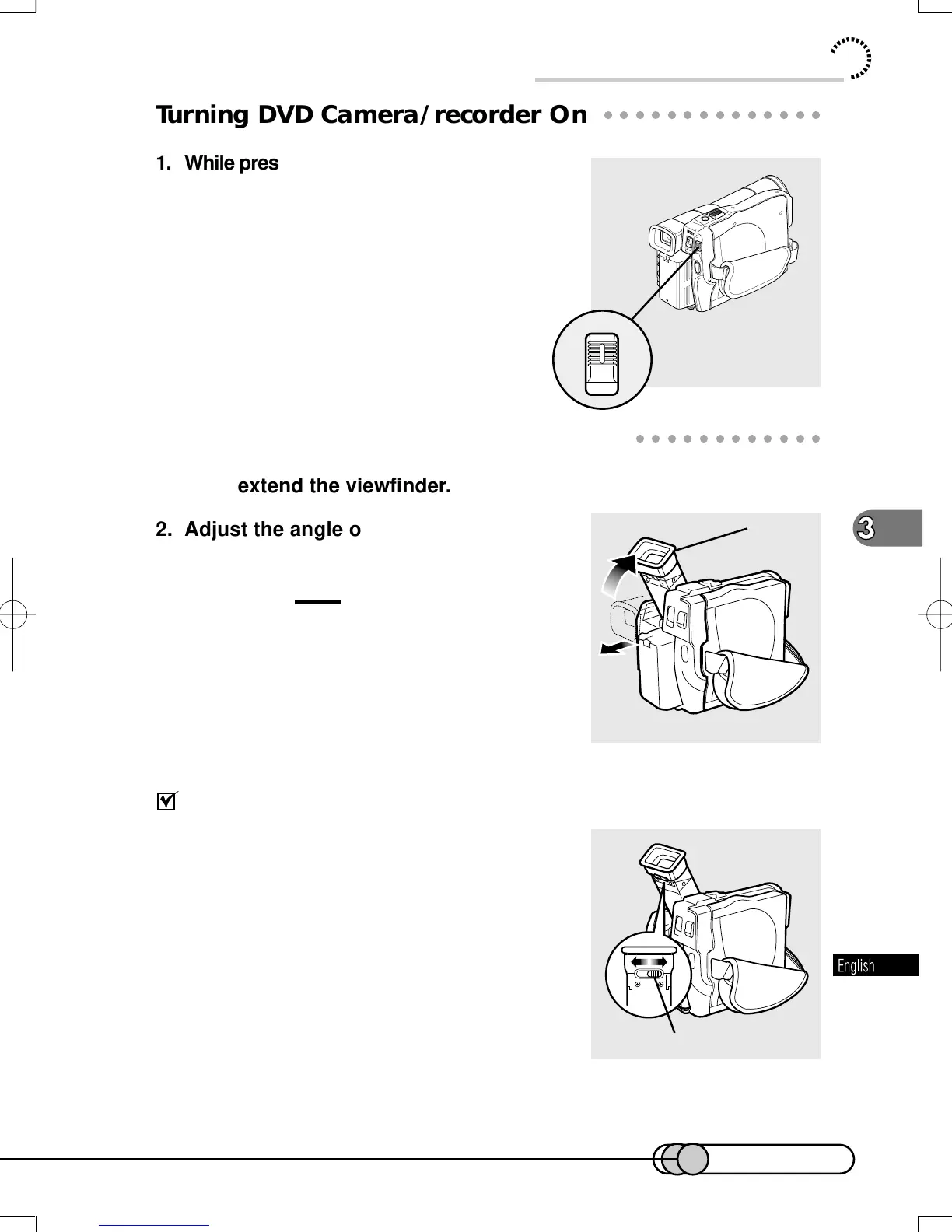
Diopter control
○○○○○○○○○○○○○○○○○○○○○○○○○○○○○○○○○○○○○○○○○○
Turning DVD Camera/recorder On
1. While pressing the button at the center of
POWER switch, push the switch down.
The red indicator of the button will light.
The DVD camera/recorder starts to recognize
the disc, and after approximately 25 seconds, it
will enter the recording pause status.
○○○○○○○○○○○○○○○○○○○○○○○○○○○○○○○○○○○○○○○○○○
Viewing Subject through Viewfinder
1. Fully extend the viewfinder.
2. Adjust the angle of viewfinder as you
like, and fit your eye to the Eye cup.
Cautions:
• If the LCD monitor is open, the viewfinder will
be off.
• If the viewfinder is not fully extended, subject
image will not be focused.
If the image is blurred:
You can adjust the focus to suit your eyesight. Ad-
just the diopter control under the Eye cup so that
the subject image can be seen clearly.
Basic Handling of DVD Camera/recorder
Eye cup
1
2
E-P54-88 01.1.29, 2:49 PMPage 57 AdobePageMaker6.5J/PPC















 To Next Page