13
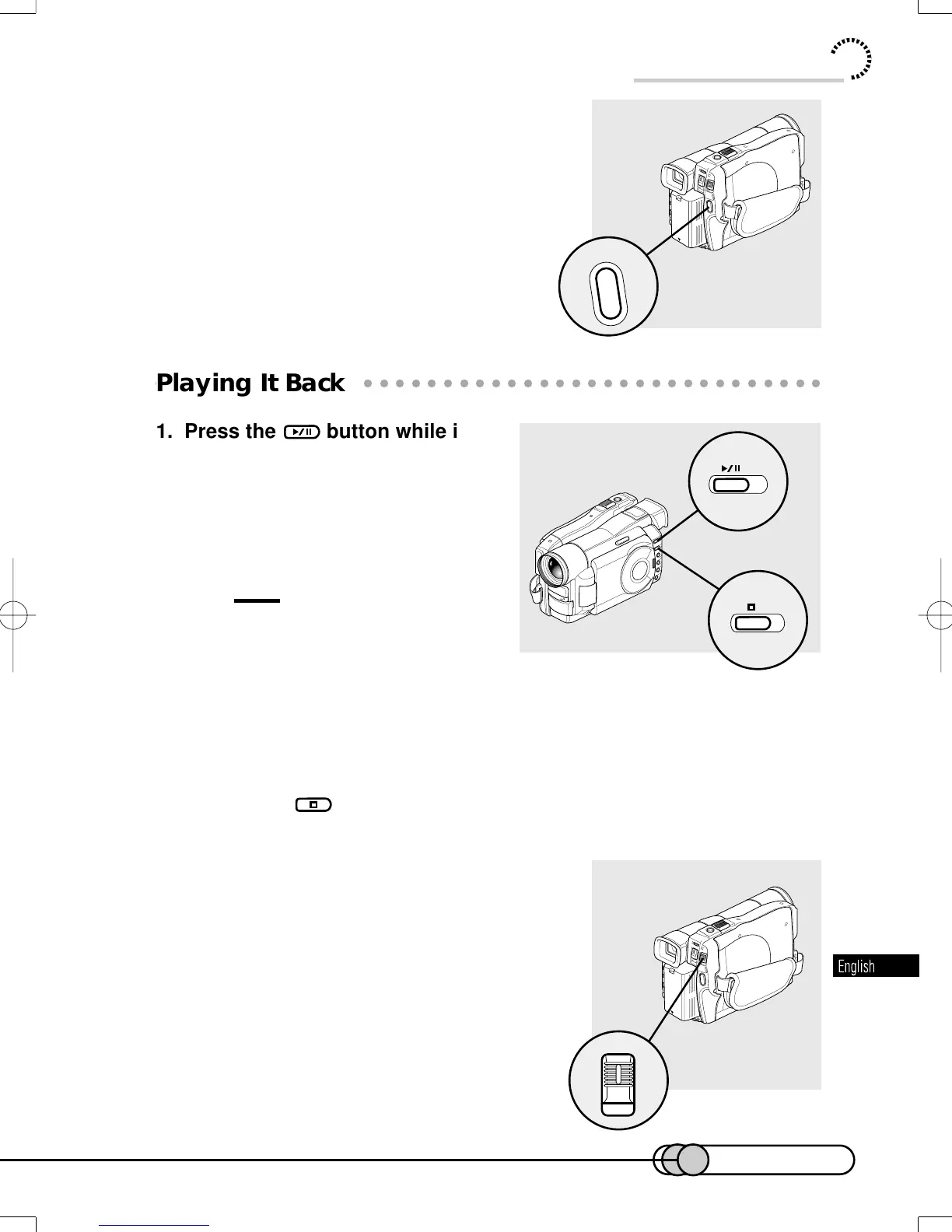
6. Start recording.
Press the REC button: Recording will start.
Pressing REC again will terminate recording and
set the DVD camera/recorder to the recording
pause mode.
○○○○○○○○○○○○○○○○○○○○○○○○○○○○○○○○○○○○○○○○○○
Playing It Back
1. Press the button while in
the recording pause mode.
The DVD camera/recorder will enter the
playback mode, and the first image of
the movie you have recorded will play
back.
Tip:
•
Disc Navigation (see p. 96) is
useful when you play back re-
corded images in full scale or wish
to edit them.
2. Stop playback.
Pressing the button will terminate playback and set the DVD camera/re-
corder to the recording pause mode.
3. Turn power off.
While holding button at the center of POWER
switch, press the switch down: The red indica-
tor of the button will go out. Wait a few seconds
until the indicator turns off.
Do not remove the battery pack or AC adapter/
charger from the DVD camera/recorder until the
indicator at the center of POWER switch and
ACCESS indicator are completely off.
2
1
Trial Record and Play Back
E-P10-13 01.1.29, 1:42 PMPage 13 AdobePageMaker6.5J/PPC















 To Next Page