EasyManua.ls Logo

Hitachi DZMV100E - Page 150

Hitachi DZMV100E
161 pages
Print Icon
To Next Page IconTo Next Page
To Previous Page IconTo Previous Page
Loading...
chapter 7_Subsidiary Information
150
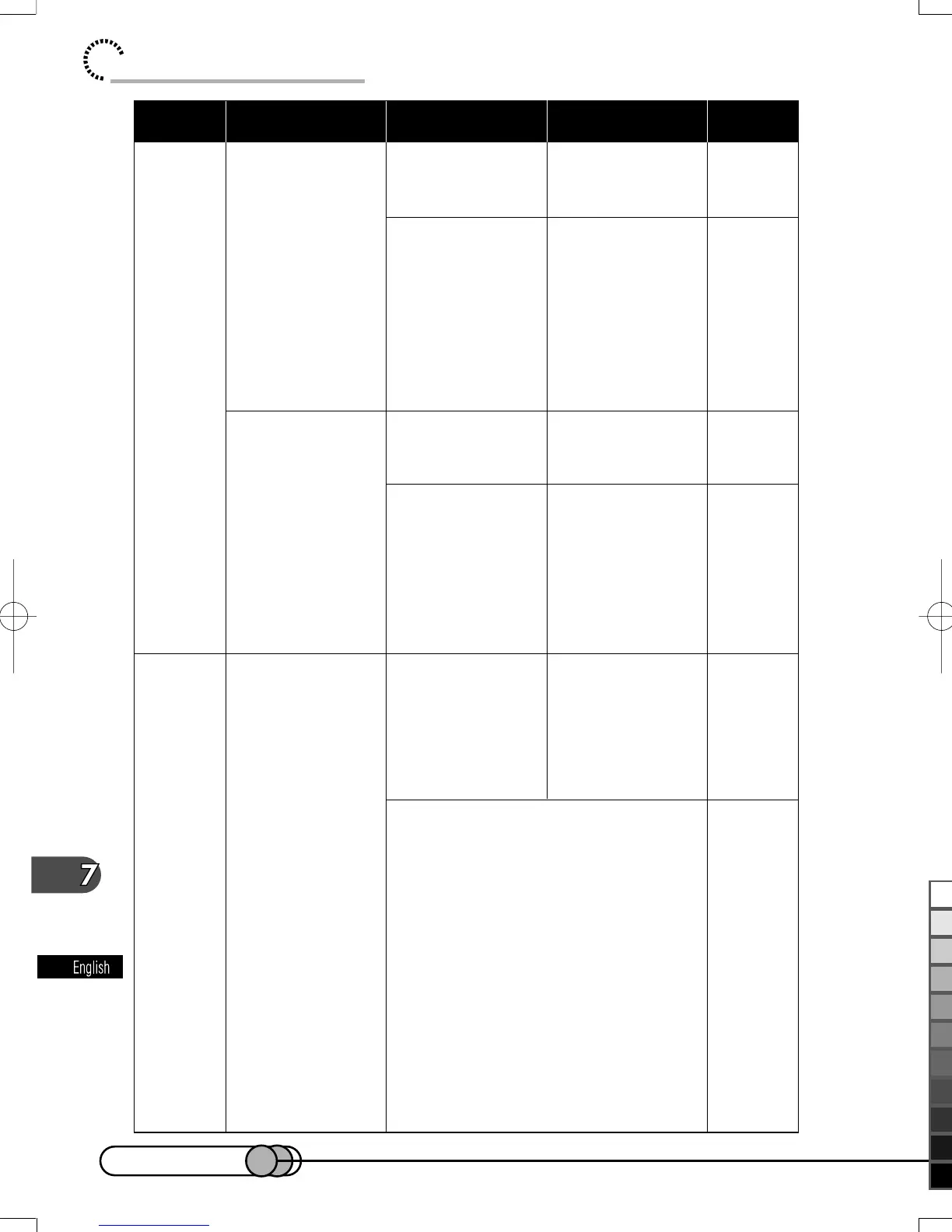
LCD screen is
hard to see.
Focus is not
correct.
Focus is not
correct.
Has brightness of
LCD screen been
adjusted?
Is the DVD
camera/recorder
being used
outdoors?
Is it difficult to use
auto focus with
your subject?
Does “FOCUS”
appear?
Is the diopter
control correctly
adjusted if you
are using the
viewfinder as a
monitor?
Stop recording
and adjust the
brightness.
Use the
viewfinder. When
using LCD
monitor, adjust its
angle so that LCD
screen is not
exposed to direct
sunlight.
Focus manually.
The DVD camera/
recorder is set to
manual focus.
Focus the subject
manually, or
release manual
focus.
Adjust the diopter
control.
59
58
63, 72
72
57
During
recording
During
recording
In cases other than the above, turn
the POWER switch off, and then on
again.
Symptom
Reference
page
Check to see Correction
E-P143-156 01.1.29, 1:46 PMPage 150 AdobePageMaker6.5J/PPC
ブラック

Table of Contents

Related product manuals