Identifying Hardware Components 2–3
Hitachi Simple Modular Storage 100 User’s Guide
Warning LED
The orange Warning LED shows when your Hitachi Simple Modular Storage
100 is operating normally, has encountered a nonfatal error, and is
upgrading firmware.
Back Panel Components
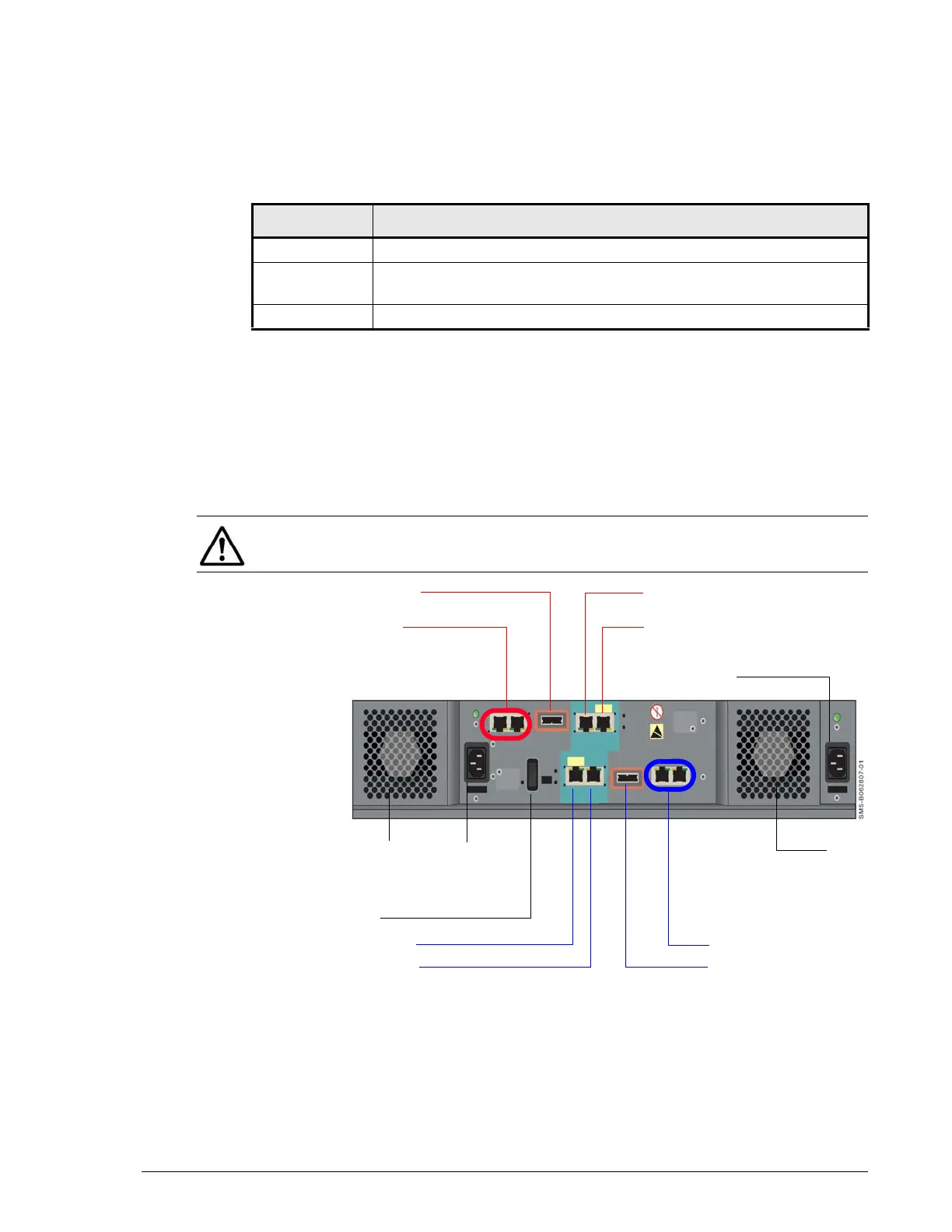
Figure 2-2 shows the key hardware components on the back panel of a 2-
controller Hitachi Simple Modular Storage 100. Components associated with
CTL0 are indicated with blue callouts in the following figure, while
components associated with CTL1 are indicated with red callouts. If your
Hitachi Simple Modular Storage 100 has a single controller, ignore the
components for CTRL 1.
•
Figure 2-2: Key Back Panel Components
Table 2-4: Warning LED
LED Status Description
OFF Normal operation
ON or Slow
Blink
Nonfatal error. Array can remain operating.
Fast Blink Flash is being updated with new firmware (do not turn off the array).
NOTE: If your Hitachi Simple Modular Storage 100 has a single controller,
ignore the components for CTL1.
Auto Migration Port
iSCSI Data Ports
Management Port
Maintenance Port
Power
Receptacle
CTL1
CTL0
Fan
Power
Receptacle
iSCSI Data Ports
Auto Migration Port
Fan
MAIN Switch
Maintenance Port
Management Port



 To Next Page