Identifying Hardware Components 2–5
Hitachi Simple Modular Storage 100 User’s Guide
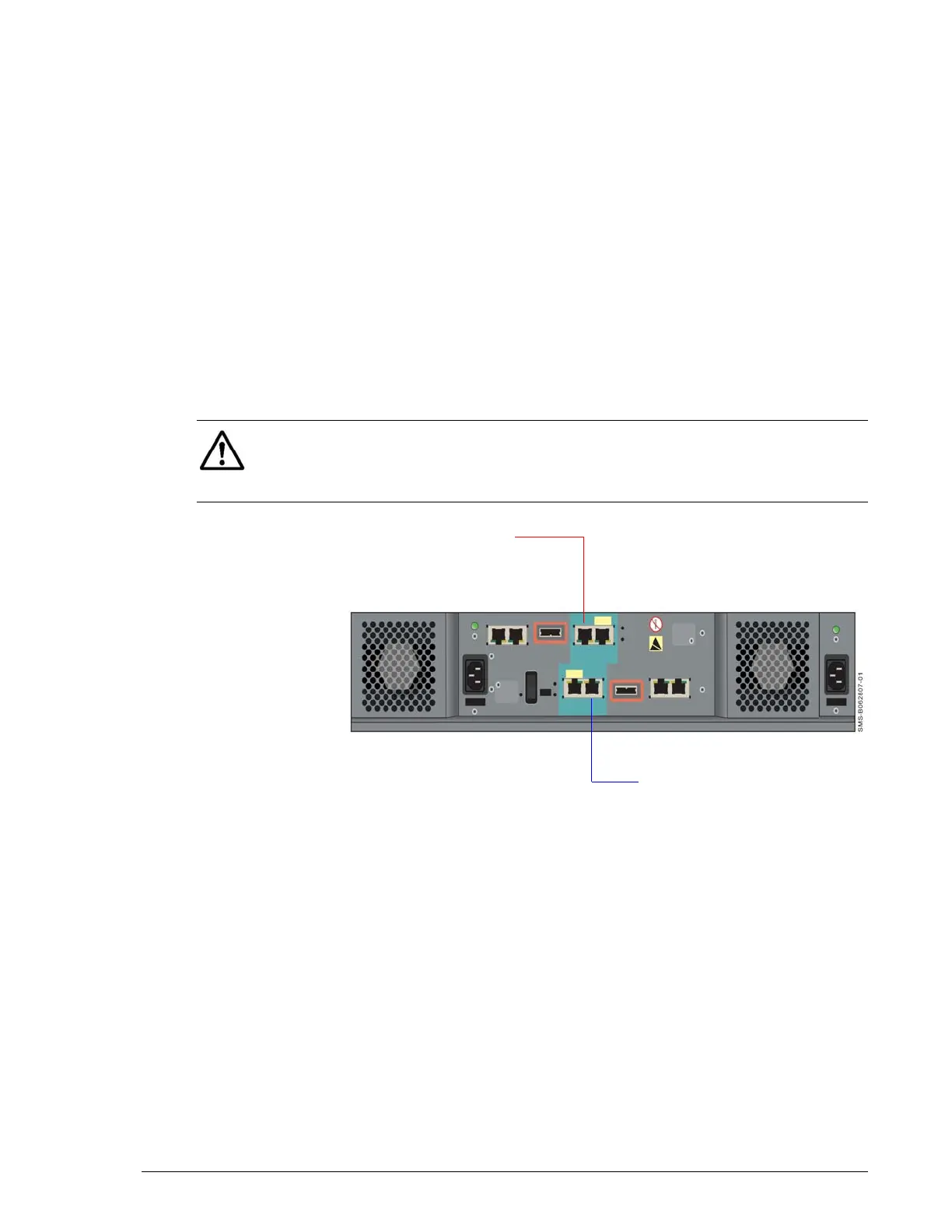
10/100 Ethernet Management Ports (LAN)
Each Hitachi Simple Modular Storage 100 controller has a 10/100BaseT
Ethernet management port labeled LAN. These ports connect to the PC
acting as the management console.
Using these ports, you can configure and manage your Hitachi Simple
Modular Storage 100 using the Hitachi Storage Navigator Modular 2
software on the supplied CD. You can also use the storage features
described under Storage Features on page 1-3 to interact with your Hitachi
Simple Modular Storage 100.
These ports accept either a cross-over cable for direct connections to the
management port or a straight-through cable if connecting to the
management port through a switch.
Each management port has an amber port activity LED on the left side of
the port and a green link LED on the right side (see Table 2-5 on page 2-4
and Table 2-6 on page 2-4).
•
Figure 2-4: Location of Management Ports on the Back Panel
NOTE: If you use the Storage Navigator Modular 2 software to configure
your Hitachi Simple Modular Storage 100 to send email alerts, be sure the
management port can communicate via Ethernet with your mail server. For
more information, refer to the Storage Navigator Modular 2 online help.
CTL1
CTL0
Management Port
Management Port



 To Next Page