Installing Your Array 3–7
Hitachi Simple Modular Storage 100 User’s Guide
Unpacking
After receiving your Hitachi Simple Modular Storage 100, perform the
following steps to ensure that your contents arrived safely.
1. Inspect the outer shipping container for damage during shipping. Report
any sign of damage to the appropriate shipping carrier.
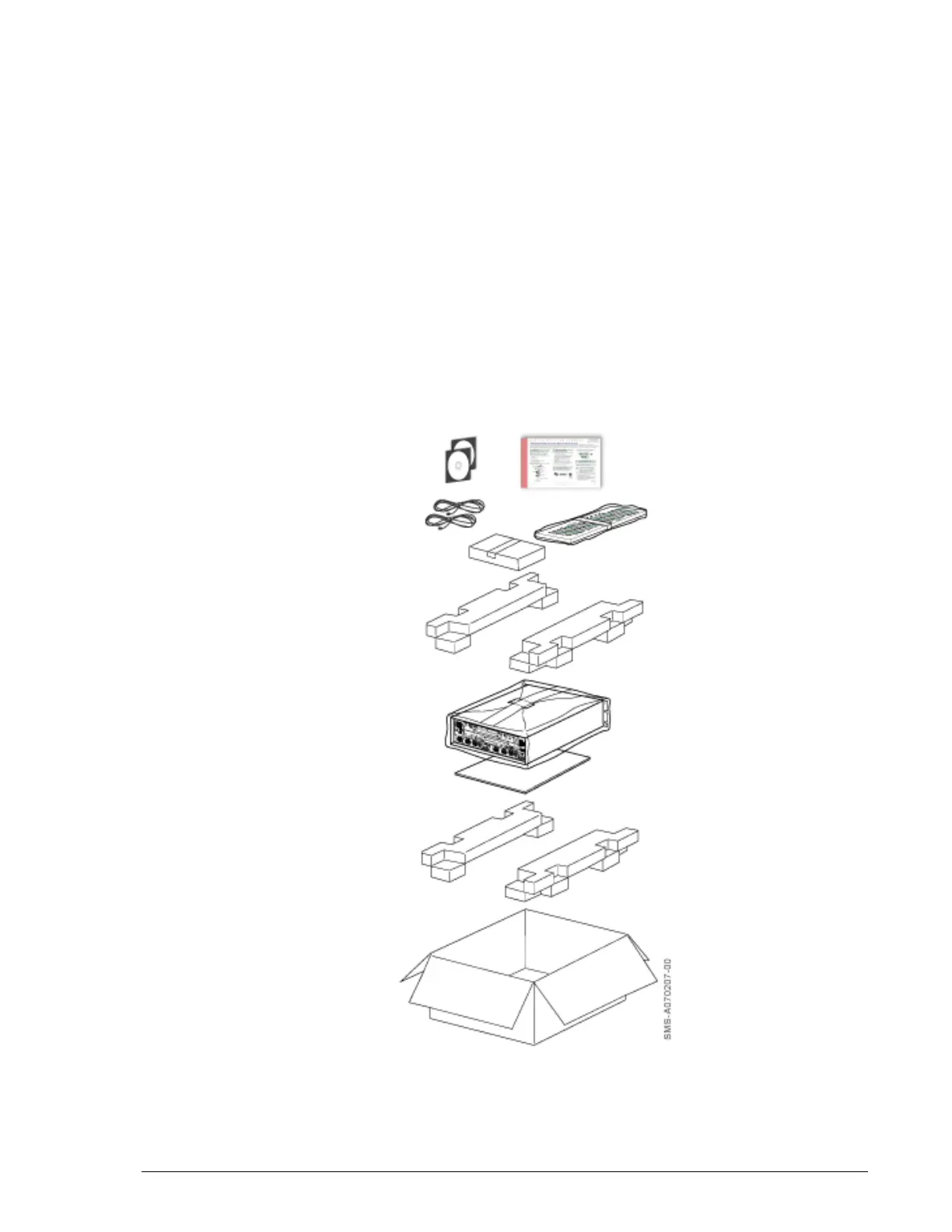
2. Remove the contents from the shipping container and check for the
following items:
• One Hitachi Simple Modular Storage 100
• Two power cables
• A front bezel
• Product and documentation CDs
• One Quick Installation Guide
3. Inspect your Hitachi Simple Modular Storage 100 thoroughly. If you see
any signs of damage, contact the shipping carrier.
•
Figure 3-2: Hitachi Simple Modular Storage 100 Package
Quick Installation
Guide
Product and
Documentation CDs (2)
Power Cords (2)
Buffer Pads
Front Bezel
(in Polyethylene Bag)
Hitachi Simple Modular Storage
100 (in Polyethylene Bag with
Desiccating Agent)
Pad
Corrugated Cardboard Box
Accessory Box
Buffer Pads



 To Next Page