Troubleshooting 5–5
Hitachi Simple Modular Storage 100 User’s Guide
•
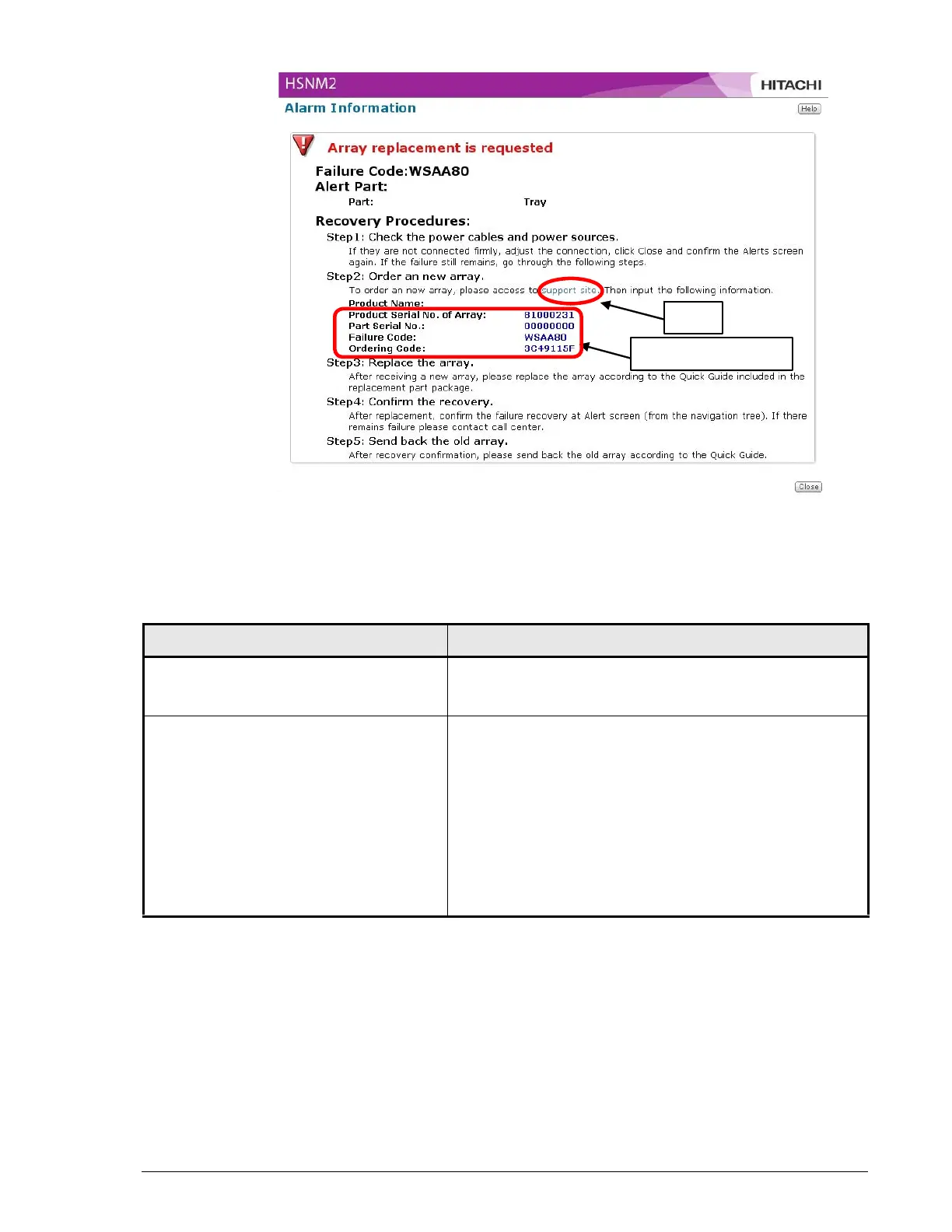
Figure 5-3: Example of an Alarm Information Window
Troubleshooting Your Array
Information for order
Click
Table 5-1: Troubleshooting
Symptom Suggested Actions
Missing or damaged parts If any of the contents included with your Hitachi Simple
Modular Storage 100 are missing or damaged, contact
your place of purchase immediately.
Power LED does not go ON 1. Check that the power connections to your Hitachi
Simple Modular Storage 100 are secure.
2. Verify that the power outlet is working. Plug a lamp
into the outlet to determine whether the outlet is
working.
3. If the outlet is controlled by a wall switch, be sure the
switch is set to provide power to the outlet. We
recommend you use a power outlet not controlled by
a wall switch.
4. If these steps do not fix the problem, visit the Hitachi
Web Portal at http://support.hds.com.



 To Next Page