BASE STATION SETTINGS
50
5.6.2 Operator Mode (Speed Team)
The Operator Mode provides a Speed Team setting. In Speed Team operation, audio and vehicle
detection are disabled at the order point.
Speed team operation is used during high-volume times. To “Speed” up the ordering process during
these high volume situations, one or more order takers (the “Team”) wearing headsets will take orders
directly from each car in line and relay the orders to the in-store staff to prepare orders.
When Speed Team is enabled, all audio (Inbound/Outbound) from the speaker post is shut off and all
Vehicle arrival tones are disabled.
Note: Speed teams are only used in single or dual-lanes, not in tandem drive-thru lanes.
CAUTION: During Speed Team, many base station functions will be disabled. Vehicle arrival tones
and the customer’s voice will not be heard in the headset.
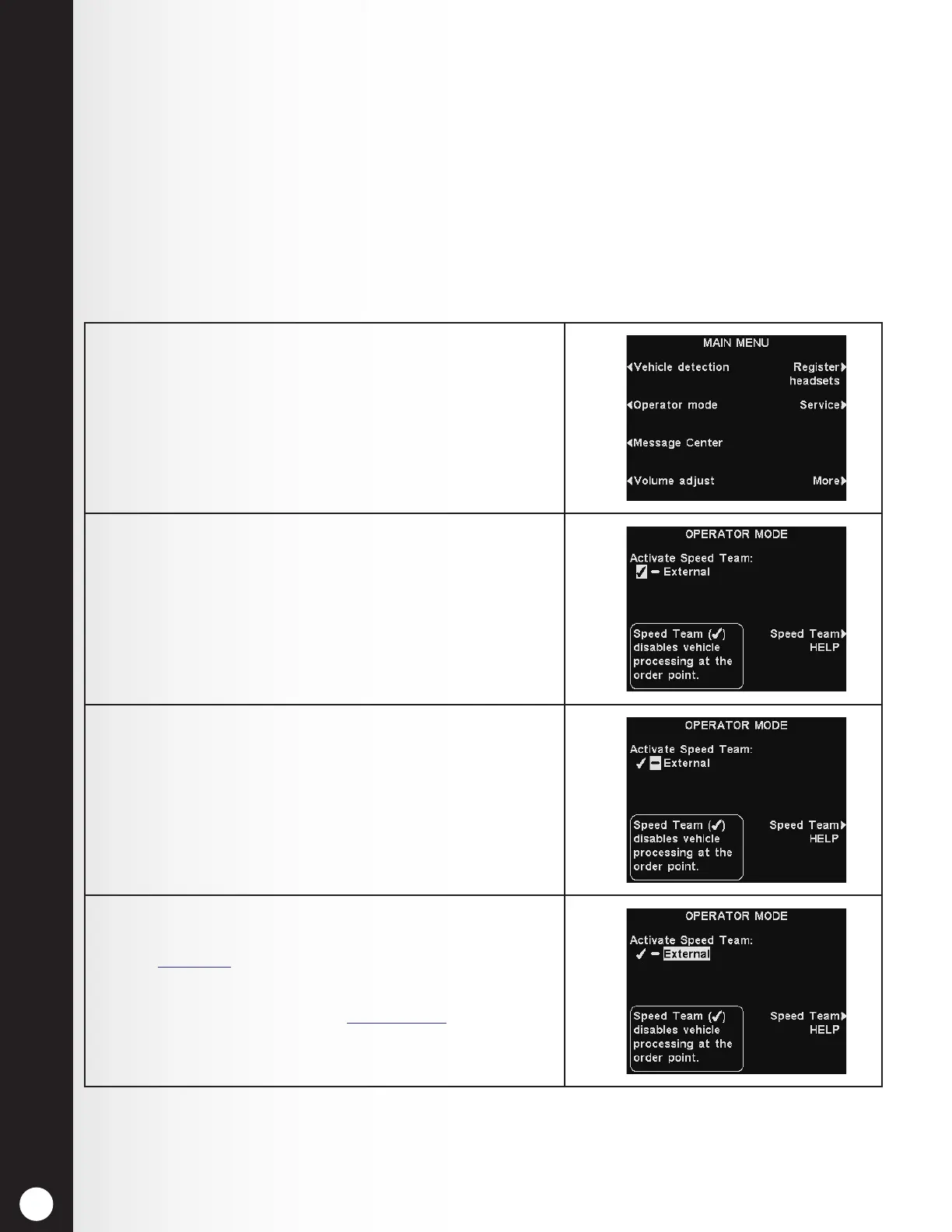
1. To start speed-team operation, press the Menu button
on the base station LANE STATUS display, and then
press the Operator mode button on the MAIN MENU
display.
2. On the OPERATOR MODE display, press the Activate
Speed Team button to select ✔ (on).
3. To return to normal operation, return to the
OPERATOR MODE display and press the Activate
Speed Team button to select − (off).
Once “Reset Completed” ashes on the display, press
the Back button to exit.
4. Select External only if speed team will be activated
from a remote switch connected to the base station.
See Figure 27, pg. 95.
Note: In multiple-lane operations, the Activate
dedicated mode option (see Section 5.4.2, pg. 40) will
also appear on the OPERATOR MODE display.



 To Next Page