Connections 16
Doc: HMSI-168-92 Rev: 3.00Netbiter EasyConnect Gateway User Manual
2.4.9 SIM Card (Netbiter EC350 only)
Netbiter SIM card
TheEC350willautomaticallydetectaNetbiterSIMcardandapplythecorrectAPNset‐
tingsforconnectionwithNetbiterArgos.NofurtherSIMcardconfigurationisneeded.
Other SIM cards
TouseanyotherSIMcard,thefollowinginformationisrequired:
•ThephonenumberfortheSIMcard
•TheAccessPointName(APN)
toconnectto
•Usernameandpassword(ifrequiredbythenetworkoperator)
! SIMcardswithactivePINcodescannotbeusedinNetbiterEC35 0.ThePINcode
cannotbedisabledinthegatewayorinNetbiterArgos.TodisablethePINcode,put
theSIMcardinamobilephoneandfollowthemanufacturer’sinstructions.
Installing a SIM card
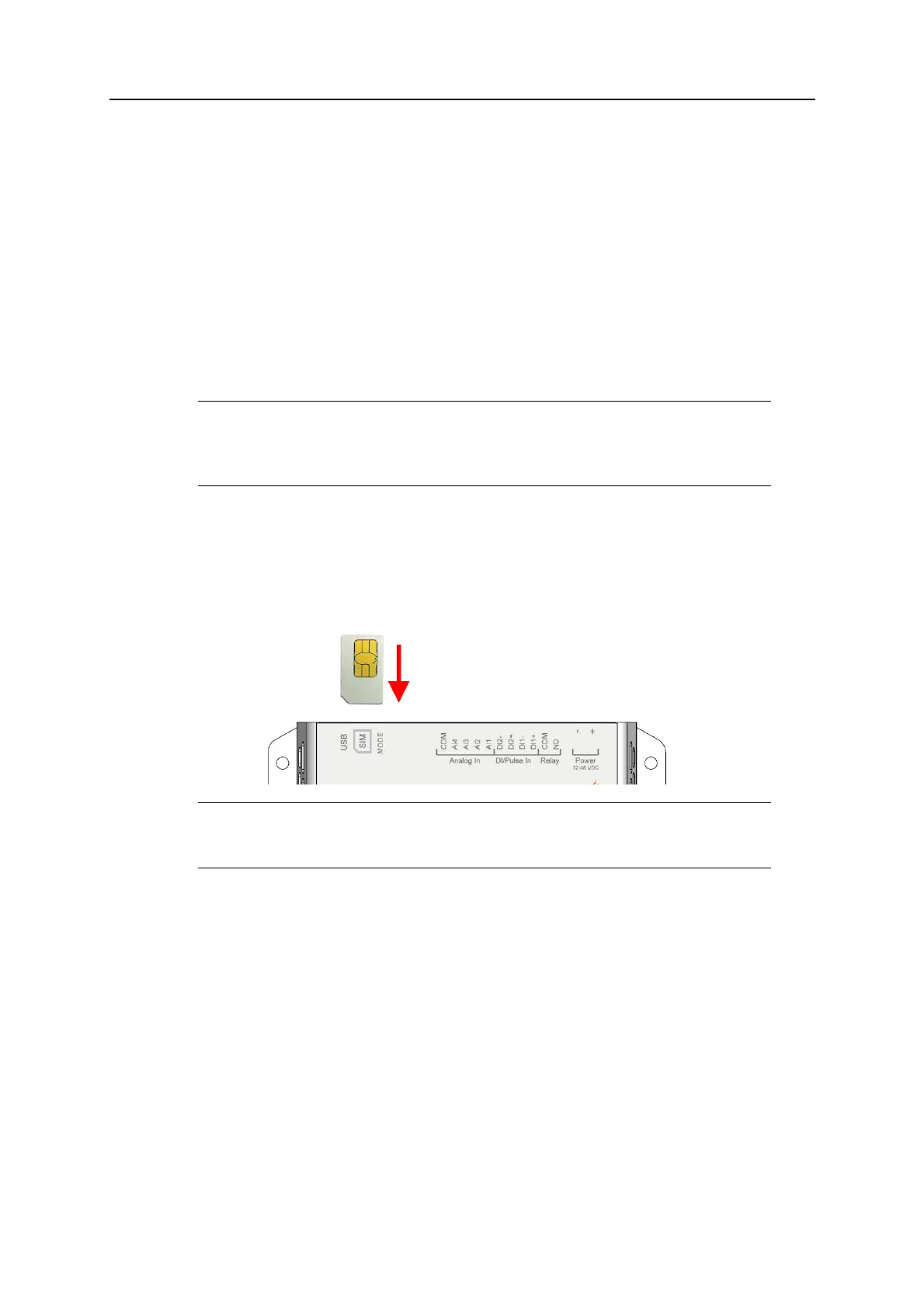
1. InserttheSIMcardcarefullyintotheEC350asshowninthefigure.
Observethepositionofthecut‐offcornerandthecontactsurfaces.
2. PushtheSIMcardfirmlydownintotheholderuntilitclicks
intoplace.
ToremovetheSIMcard,presstheedgeofthecardandrelaseit.
! WheninsertingtheSIMcard,makesurethatitdoesnotaccidentallyslipbehindthe
SIMcardholder.














 To Next Page