OPERATION OF THE SOFTWARE MENU
4.4
Imager Duo Operator’s Manual
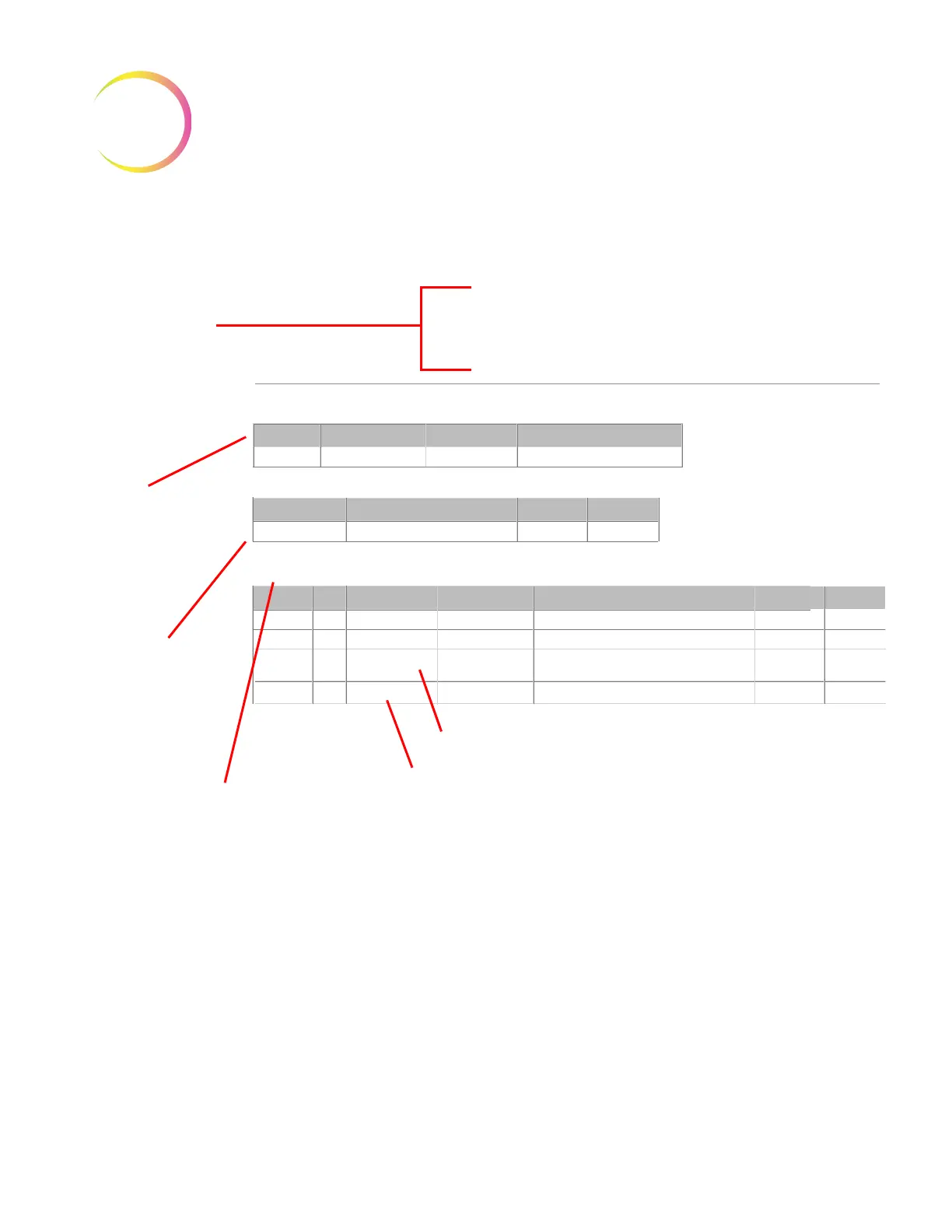
Figure 4-5 Run Report
ThinPrep® Imaging System Run Report
Started:
Completed:
Lab Name:
TIS S/N
Imager:
Sep 20, 2012, 03:14:56 PM
Sep 20, 2012 03:51:49 PM
Hologic
20185J04AP
IP190ZKM1
Slide Events
2
4
7
7
5
5
5
5
Slide ID Read Failed
Slide Cannot Be Imaged
Info: Slide reimaged - Imaging error slide
replaced in database, previous error archived
Slide cannot be imaged
3303
2407
3310
4450
Sep 20, 2012
Sep 20, 2012
Sep 20, 2012
Sep 20, 2012
03:39:20 PM
03:42:14 PM
03:43:20 PM
03:43:50 PM
Cassette
Slot Slide ID
Event Number
Description of Event
Date Time
Batch Summary Totals
Slides
System Errors
Slide Events Slides Ready for Review
N/A
83668809999025
74046379982
74046379982
System Errors
Sep 20, 2012 03:20:20 PM
Error Number Description
Date Time
SlideNotFound
12121125
3106
The start and com-
pletion times of the
batch are recorded,
as is the lab name (if
enabled). The Imag-
ing Station that the
batch was run on is
identified by its serial
number and Imager
name.
A Batch Summary
lists number of slides,
any errors and num-
ber of slides ready for
review.
Any Slide Processing Events
encountered in the batch are listed
with a brief description. (If no errors,
this table does not appear)
Any System Errors
that occurred are
listed (if no errors,
this table does not
appear)
Example of a slide that failed imaging once and that data was
archived.
The slide was rerun in this batch and failed again












 To Next Page