OPERATION OF THE SOFTWARE MENU
Imager Duo Operator’s Manual
4.11
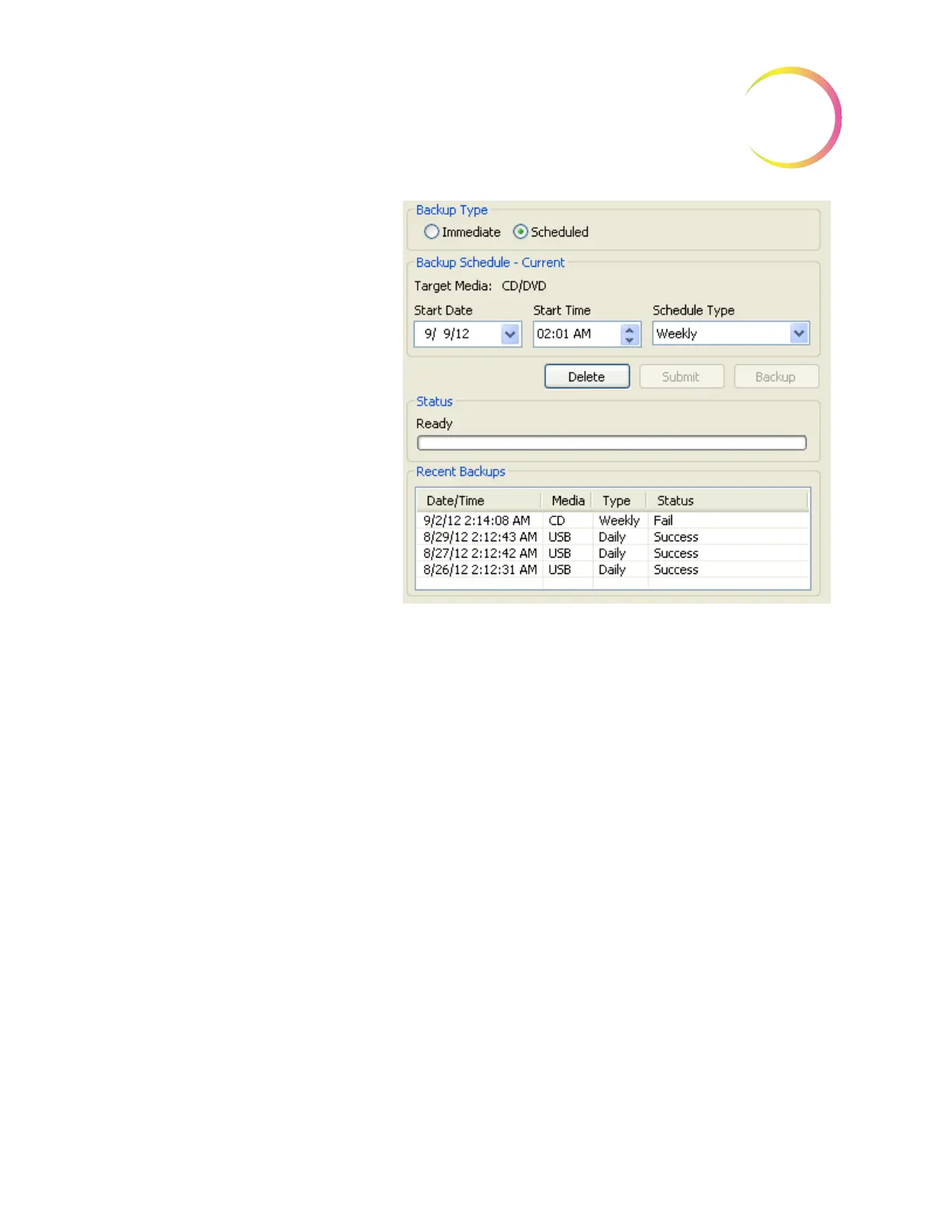
Figure 4-15 Scheduled Backup
Archive
Archive will purge a database of old slide data records, based on a user-selected
date range cut off. This function is only accessed on a Server and is password
protected. The Archive function icon is not present on the Data Management
menu unless Security is activated. See Figure 4-16.
Note:
If a large number of data records are selected for Archive/Purge, this
could take a long time. Plan to do this when you are not running
batches. Consider breaking a very large database into batches, such as a
year at a time.
Note:
If some slide data records are to be retained and not purged, please refer
to “Lock Slides” on page 4.31 prior to running the Archive function.
Select the start
date and time for a
scheduled backup
and whether it
recurs daily,
weekly or monthly
Click
Submit
to
enable the sched-
ule or
Delete
to
inactivate the
schedule.
Status indicates
Ready or backup
in progress.
The most recent
backups and their
status are listed












 To Next Page