OPERATION OF THE SOFTWARE MENU
4.60
Imager Duo Operator’s Manual
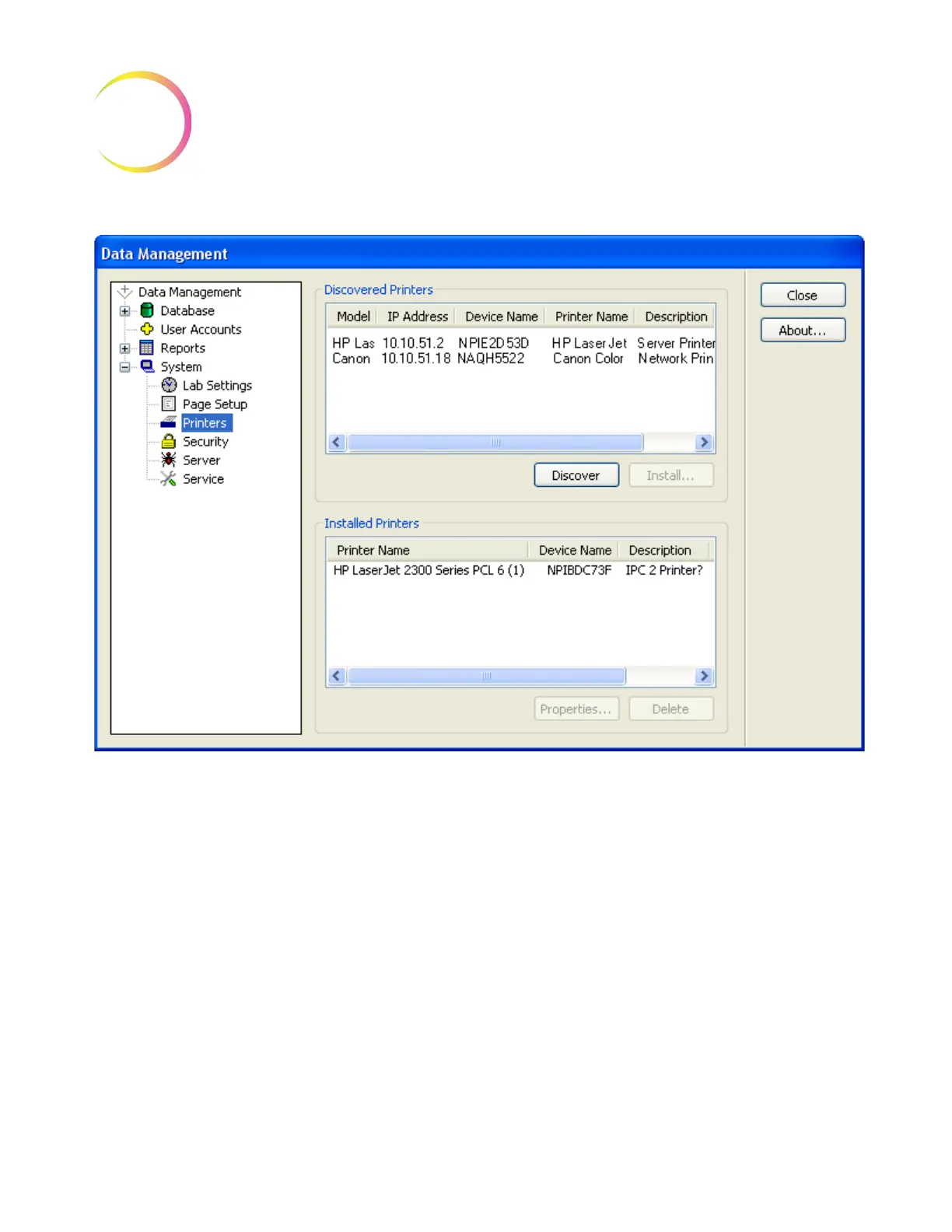
Figure 4-77 Setup Printers Window
Click on the
Discover
button to see what printers are on the network. To install
a printer, select the printer by clicking on it and then click the
Install
button. (To
install several printers at once, hold the Control key and click on the desired
printers.) The printer will appear in the Installed Printers field.












 To Next Page