OPERATION OF THE SOFTWARE MENU
Imager Duo Operator’s Manual
4.65
Validate
The
Validate...
button is available on the security window only when password
protection is in effect. This allows a user who knows the administrative pass-
word to access restricted data without entirely disabling the security feature.
To access the Workload Reports, User Account management or entire Slide Data
Record window, open the security window. There is an empty field titled “Cur-
rent Password”.
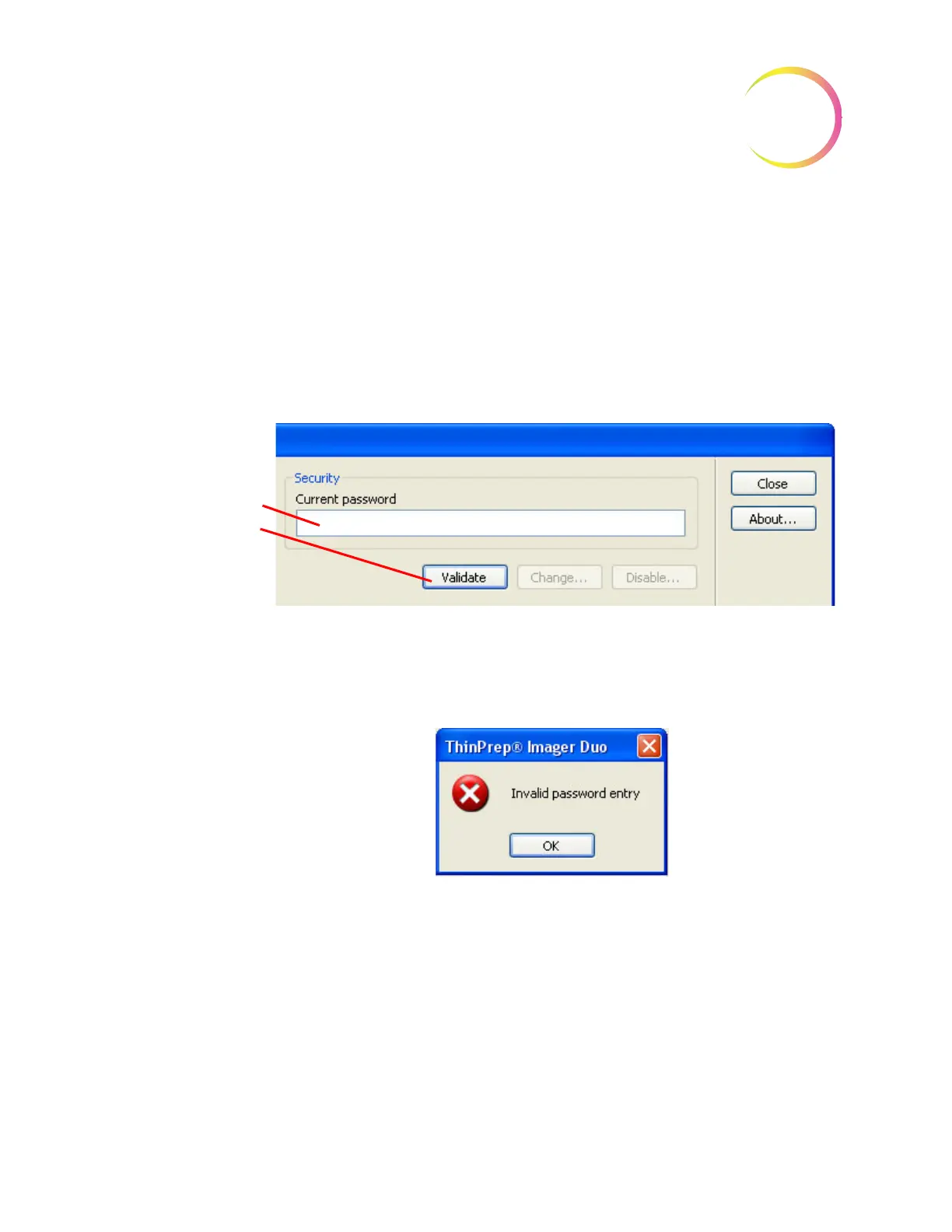
Type in the security password and click on the
Va li da te
button. See Figure 4-83.
Figure 4-83 Validate Password Window
If the password entered was not correct, an Invalid password entry box is dis-
played. (Figure 4-84.)
Figure 4-84 Invalid Password Entry
Click
OK
to clear the box. Re-enter the correct password in the field and click
Va li da te
. If the password entry is correct, a lock icon will appear on the bottom
right of the window. This indicates administrative access mode is applied. The
User Accounts management, Workload Reports and Slide Data Record fields
will be restored. See Figure 4-85.
Note:
Administrative access is only applied at the workstation or server that is
being accessed.
To access restricted
data, type in the correct
security password and
click the
Validate
but-
ton.












 To Next Page