REMOTE SITE SERVER USER’S GUIDE
10.2
Imager Duo Operator’s Manual
CAUTION
Route all connectors
carefully to avoid
pinching the cables.
To avoid tripping
over or
disconnecting
cabling, do not
place cabling near
foot traffic
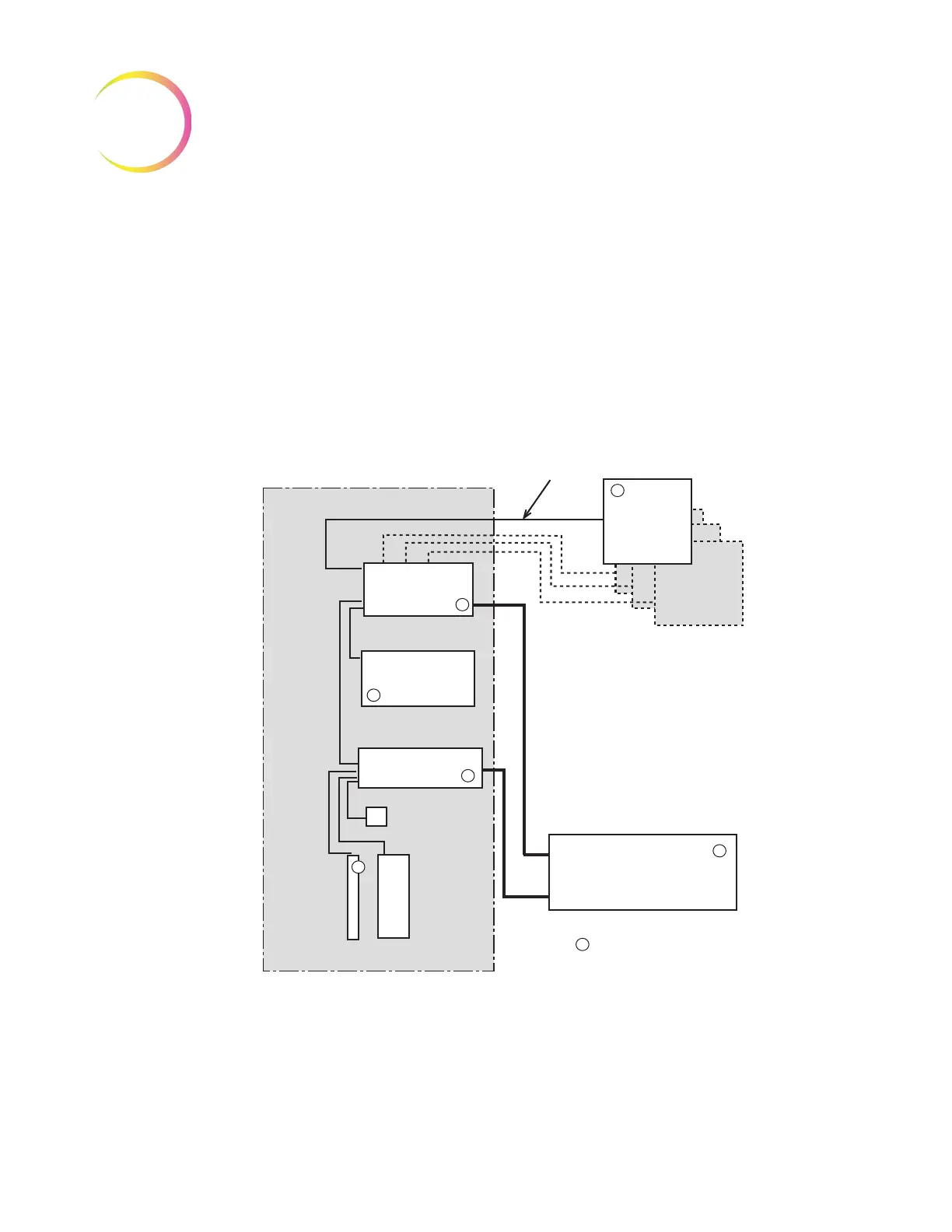
Network Configuration
The Server monitor, keyboard, mouse, printer and a multiport Ethernet hub
must be located in the same area, so that interconnection cables easily reach
each component (within 1.8 meters [6 feet] of each other). Refer to Figure 10-1.
Review Scopes connected to the Server may be located up to 100 meters
(328 feet) away, or extended another 100 meters using a second hub.
Figure 10-1 Local Network Interconnection Schematic (Example)
Review
Scope
Review
Scope
Additional Scopes
depending on site
configuration
Uninterruptable
Power Supply* and
Battery Backup
= Power Cord, Requires an Outlet
*May go on the floor, provided
there is no dust accumulation on or
around it.
Table, Desk or Lab Bench
Monitor
Keyboard
Mouse
Server*
Printer
Switch
Up to 328 ft/
100 meters












 To Next Page