IMAGER DUO SYSTEM INSTALLATION
2.2
Imager Duo Operator’s Manual
Location And Configuration
CAUTION
Route all connectors
carefully to avoid
pinching the cables.
To avoid tripping
over or
disconnecting
cabling, do not
place cabling near
foot traffic.
Local Network Configuration
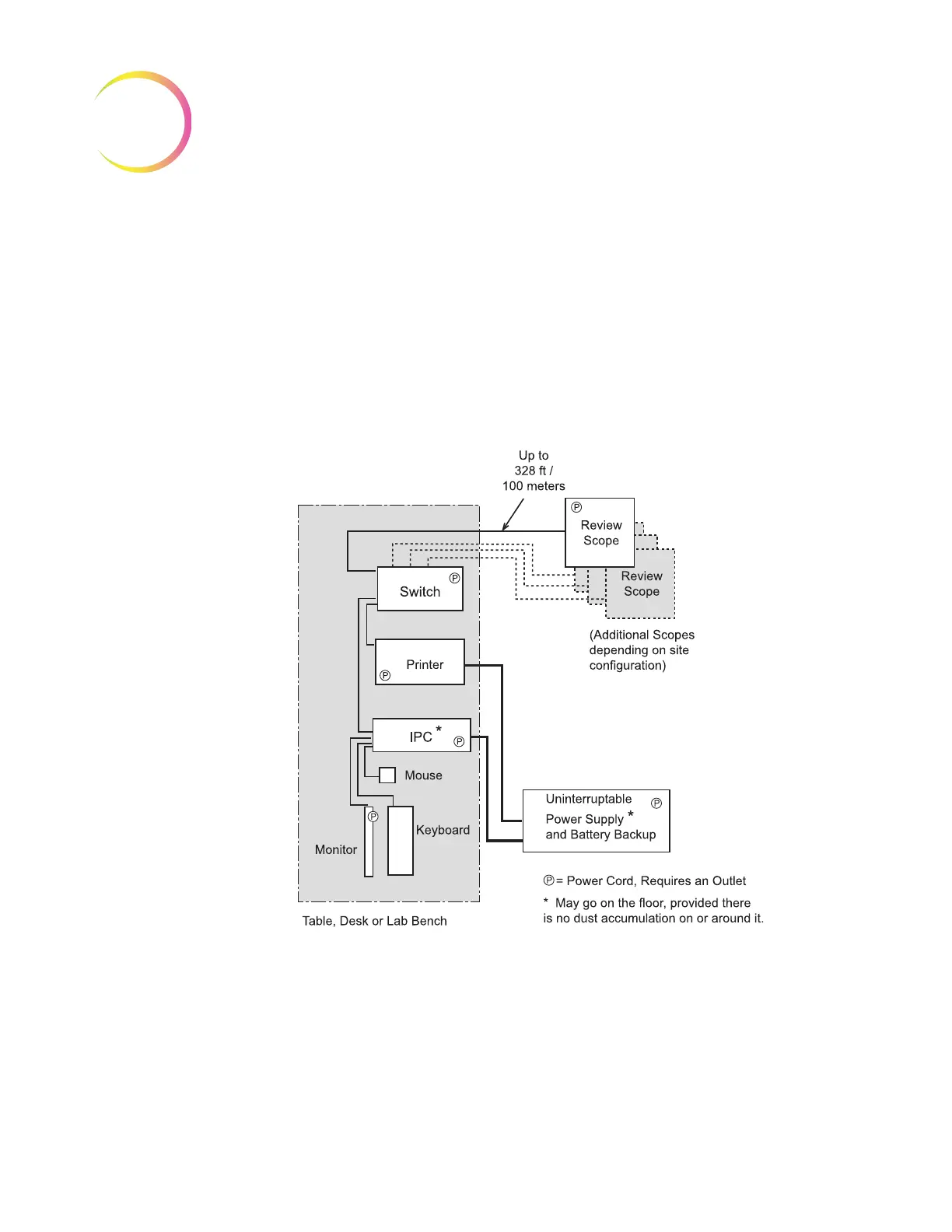
The Image Processor Controller, the Imaging Station, the monitor, keyboard,
mouse, the printer and a multiport Ethernet switch must be located in the same
area, so that interconnection cables easily reach each component (within 1.8
meters [6 feet] of each other). Refer to Figure 2-1. Review Scopes connected to
the Image Processor Controller may be located up to 100 meters (328 feet) away,
or extended another 100 meters using a second switch.
Figure 2-1 Local Network Interconnection Schematic (Example)












 To Next Page