OPERATION OF THE IMAGER DUO
3.24
Imager Duo Operator’s Manual
Resume Slide Processing After Interruption
1. Confirm that at least one cassette is loaded in the Imaging Station. Firmly
close the sliding doors.
2. On the menu bar, click on the green
GO
button or pull down the slide pro-
cessing menu and click on
Start Slide Processing
.
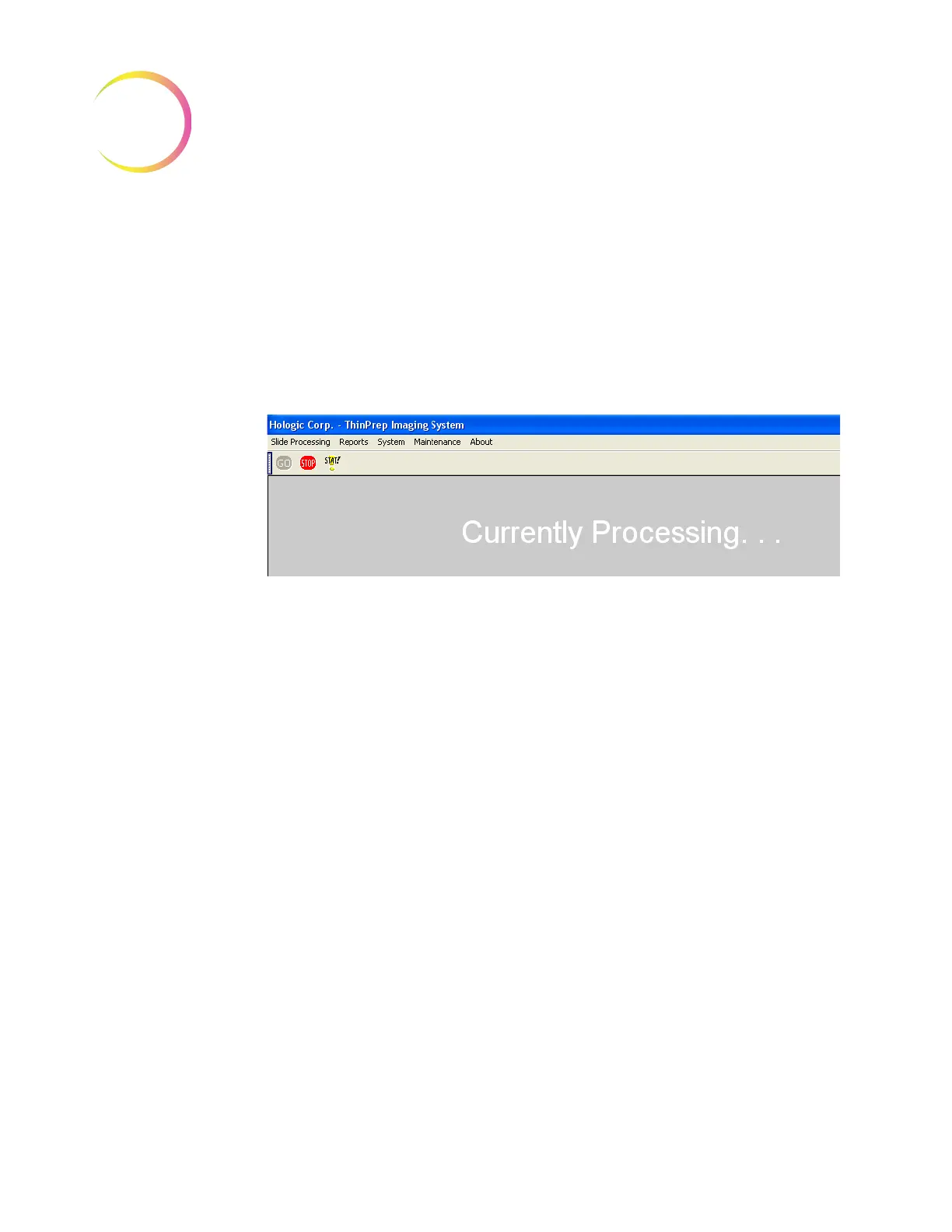
3. The doors will lock. The display on the monitor indicates that processing
has begun. The
STOP
button on the menu bar is highlighted as available.
(Refer to Figure 3-25.)
Figure 3-25 Slide Processing Resumed
Cancel The Batch After Interrupting Slide Processing
1. If the system is to be shut down remove the slide cassettes. Run unpro-
cessed cassettes in a later batch. Partially processed cassettes are considered
unprocessed and must be run in a later batch.
2. Use the System pull down menu and select
Shut Down
. Follow shut down
instructions described in Section I, Shutting Down the Image Processor.
Stat Slide Processing
A batch may be interrupted to run a single cassette of Stat slides. The operator
may resume or terminate the batch after running the stat slides, the same way
as interrupting a batch. The stat slides are placed in a cassette at position 10.
One to 25 slides can be run.
To run a stat slide, either click the yellow
Stat
button or select
Run Stat Cassette
from the pull down menu. (Refer to Figure 3-26.)












 To Next Page