www.honeywell.com/security
76 | Performance Series IP Camera User Guide
Managing Users
You can create, modify, or delete a user account.
Creating a User Account
You can create a new user account and assign permissions to it.
To create a user account:
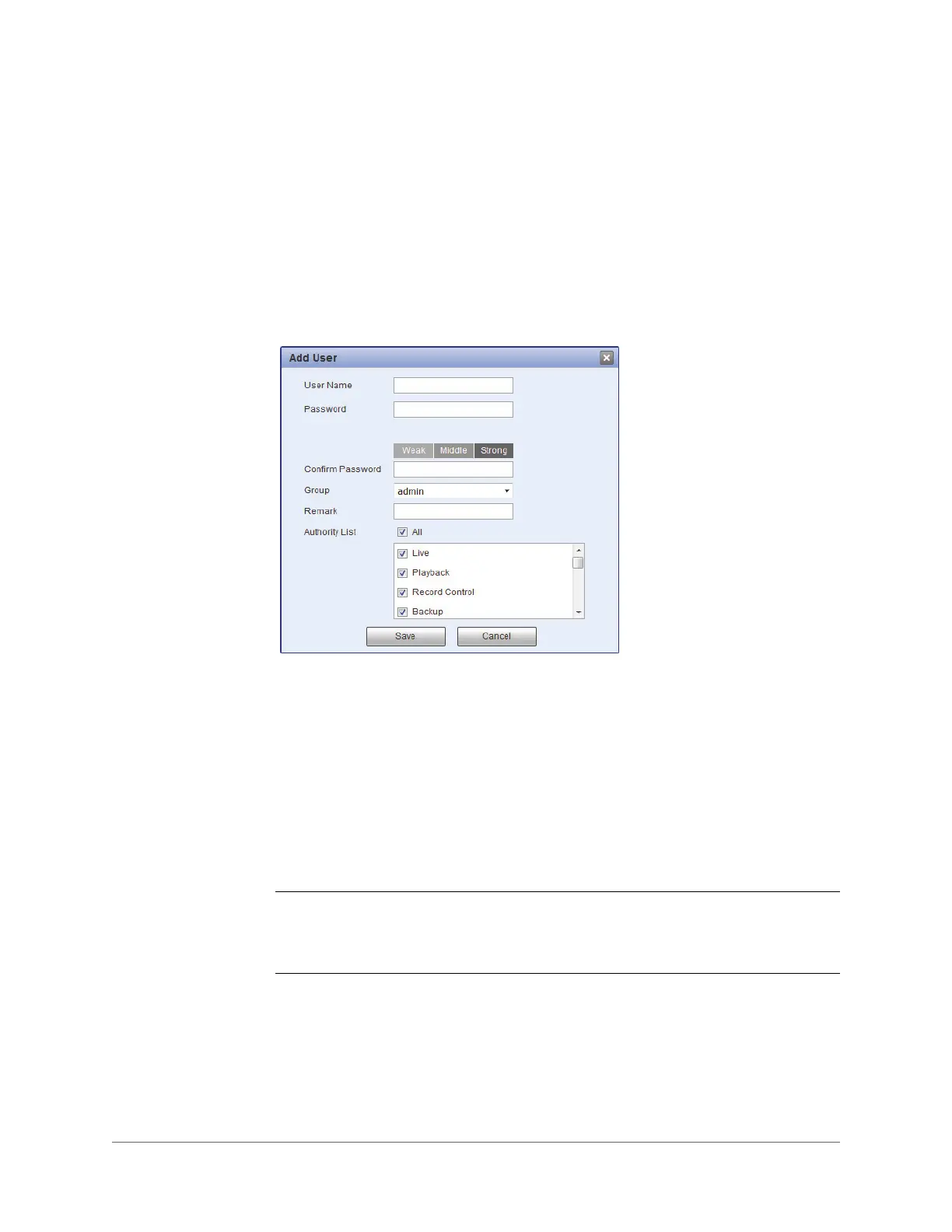
1. On the User Name tab, click Add User to open the Add User window.
2. Assign the account a user name and password.
a. In the User Name field, enter a unique user name.
b. In the Password field, enter a password. The password must be at least 8
characters in length and contain a combination of uppercase and lowercase
letters, at least one number, and at least one special character.
3. Assign the account to a group (admin, user, or a custom group that you have created)
chosen from the Group list.
4. If you want, you can enter a brief description in the Remark field.
5. From the Authority List, select permissions for the account (see Table 8-1).
Note Each user is assigned to a group. The individual user’s permissions cannot
exceed those of the group to which the user belongs. To modify permissions at
the group level, see Modifying a Group on page 75.
6. Click Save to apply the settings. The user account is added to the list.



 To Next Page
 Loading...






