SPYDER MODEL 5 ENGINEERING TOOL – USER GUIDE
87 31-00282ES-01
Procedure
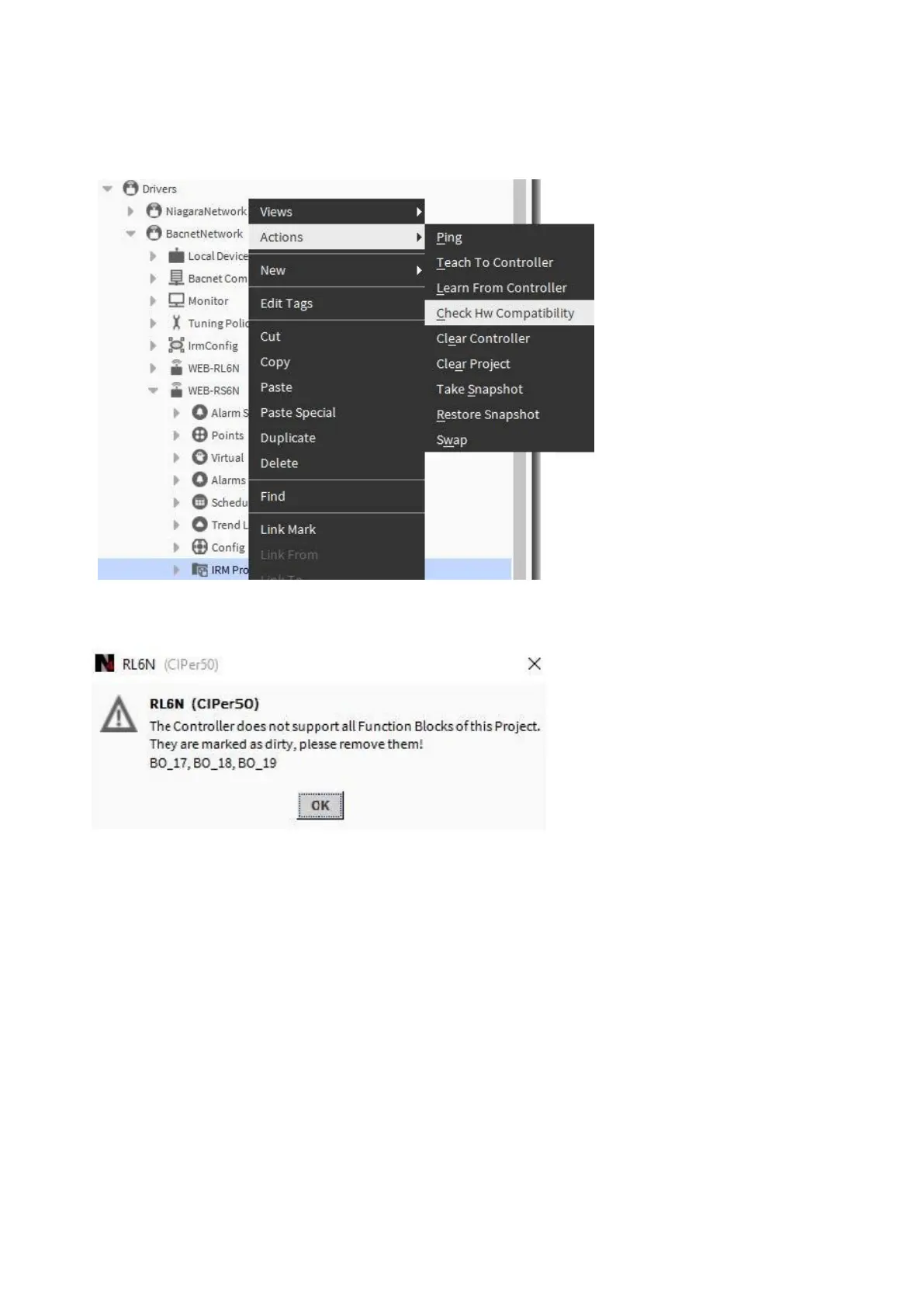
1. Right-click on IRM Program in the tree, then click Actions, and then click Check Hw Compatibility in the context
menu.
RESULT: In case of incompatibilities, as message box displays that lists the affected terminals:
On the wire sheet, the terminals are marked as “dirty” by a yellow warning symbol.


 To Next Page
 Loading...