1.2. Description of operating elements
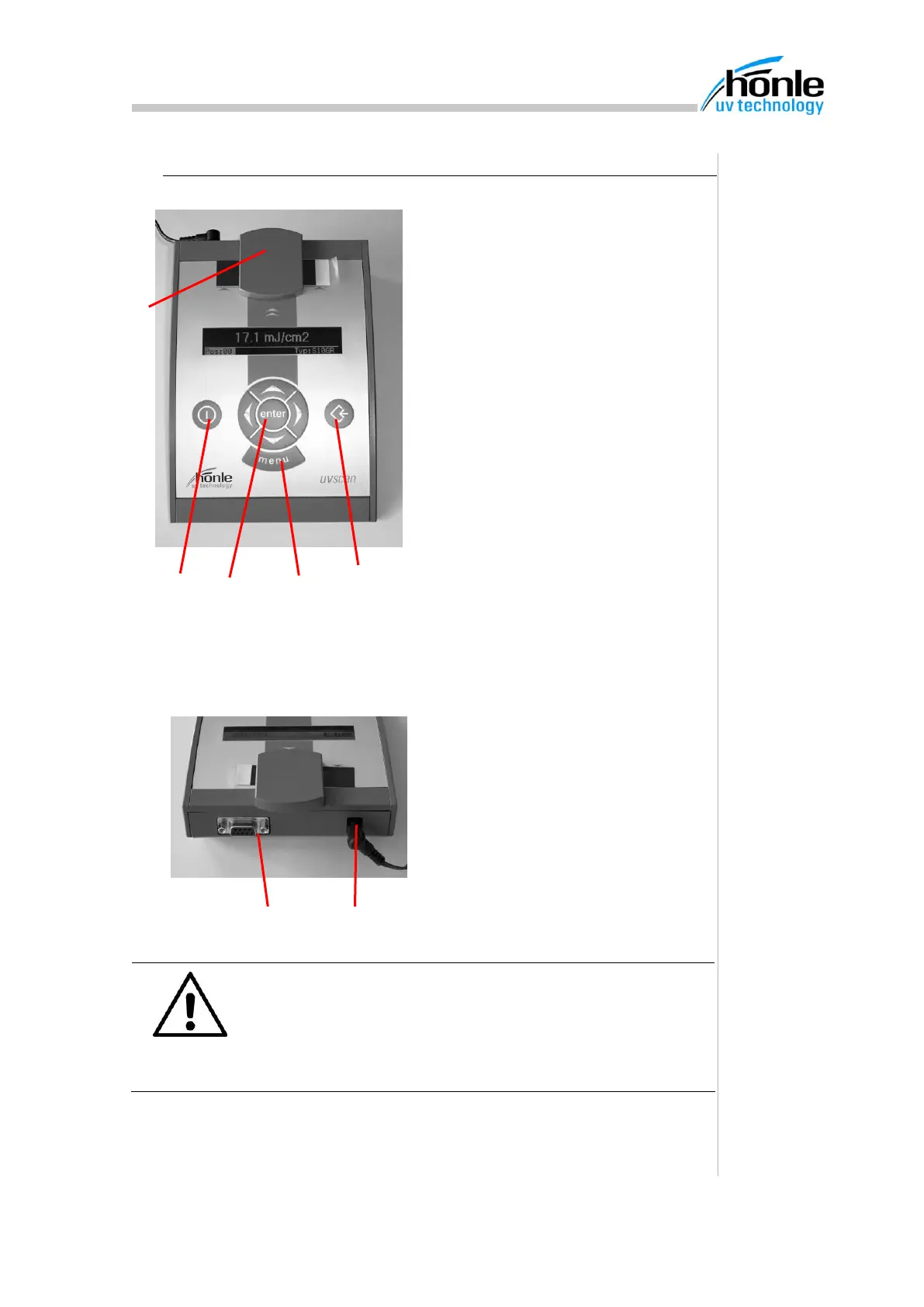
(5) Sensor attachment
Measuring strips must be pushed
under the sensor attachment for
evaluation
(6) "ON/OFF" button
This button is used to switch the de-
vice on and off
(7) Cursor keys block
The cursor keys block is used to
move the cursor around the current
menu or to change figures/letters in
entry fields. It must always be con-
firmed by the enter key
(8) "Menu" key
Pressing the menu key allows you to
move between the individual display
menus
(9) "Save" key
Pressing the save key saves the cur-
rent measured value in the memory.
ATTENTION
The Hönle UV-Scan may only be used with the plug-in
power supply unit supplied and the enclosed accessories.
If other power-supply units or spare parts are used, the
UV-Scan may be damaged. In such cases, no claims may
be made under the guarantee.


 To Next Page