UV-Scan
22 #03592DE-EN c
9. Measured value memory
The UV-Scan has an integral measured value memory which can store up to
400 items. The following information is saved in each case:
Measured value in mJ/cm2
Date and time
Sequential measurement number
Measurement position + name of
measurement position
Comment (2 lines)
Strip type
Reference value
The sequential measurement number (0-65536) is used to identify every
measured value and can be used for complete quality monitoring as a clear
measure value assignment. It can only be reset to 0 through a complete sys-
tem reset (see chapter on "Service menu".
All measurement results can be shown directly at the unit as a table or in
graphic form. The user can choose whether all the measured values or only
those from a particular measurement position are shown. In addition, data can
be transmitted to a PC via the RS232/USB. The optional transmission software
allows data to be exported easily as a txt or EXCEL file.
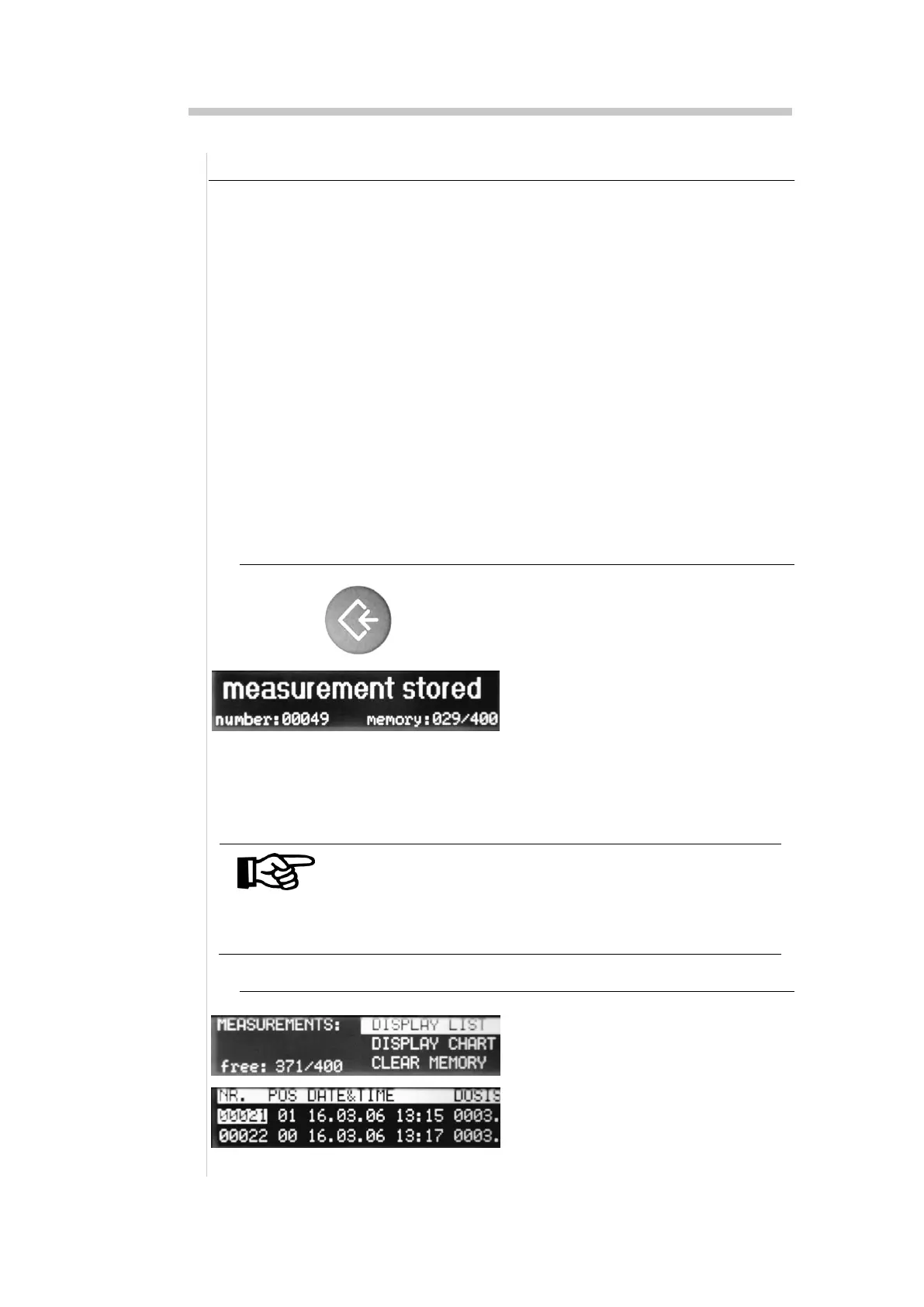
9.1. Saving the current measured value
1. Insert strip and wait until the
measured value is shown in
the display
2. Press the Save key
The display will show the mes-
sage "Measurement saved", and
the assigned measurement
number and use of the measure
value memory will also be dis-
played.
NOTE
If, for the measured value, an individual comment is to
be saved in the measured value memory, this must be
entered before the Save key is pressed (see chapter on
"Assign comment for measurement position".
9.2. Show measured values as list
1. Press "menu" key until the
"Measured value memory" is dis-
played
2. Select the line "Display list"


 To Next Page