#03592DE-EN c 19
7. Relative value display
With the UV-Scan it is also possible to display the current measured value
as a relative value in relation to a previously defined reference value. The
display then shows not only the result in mJ/cm2 but also the percentage
value in relation to the reference.
7.1. Defining a reference value
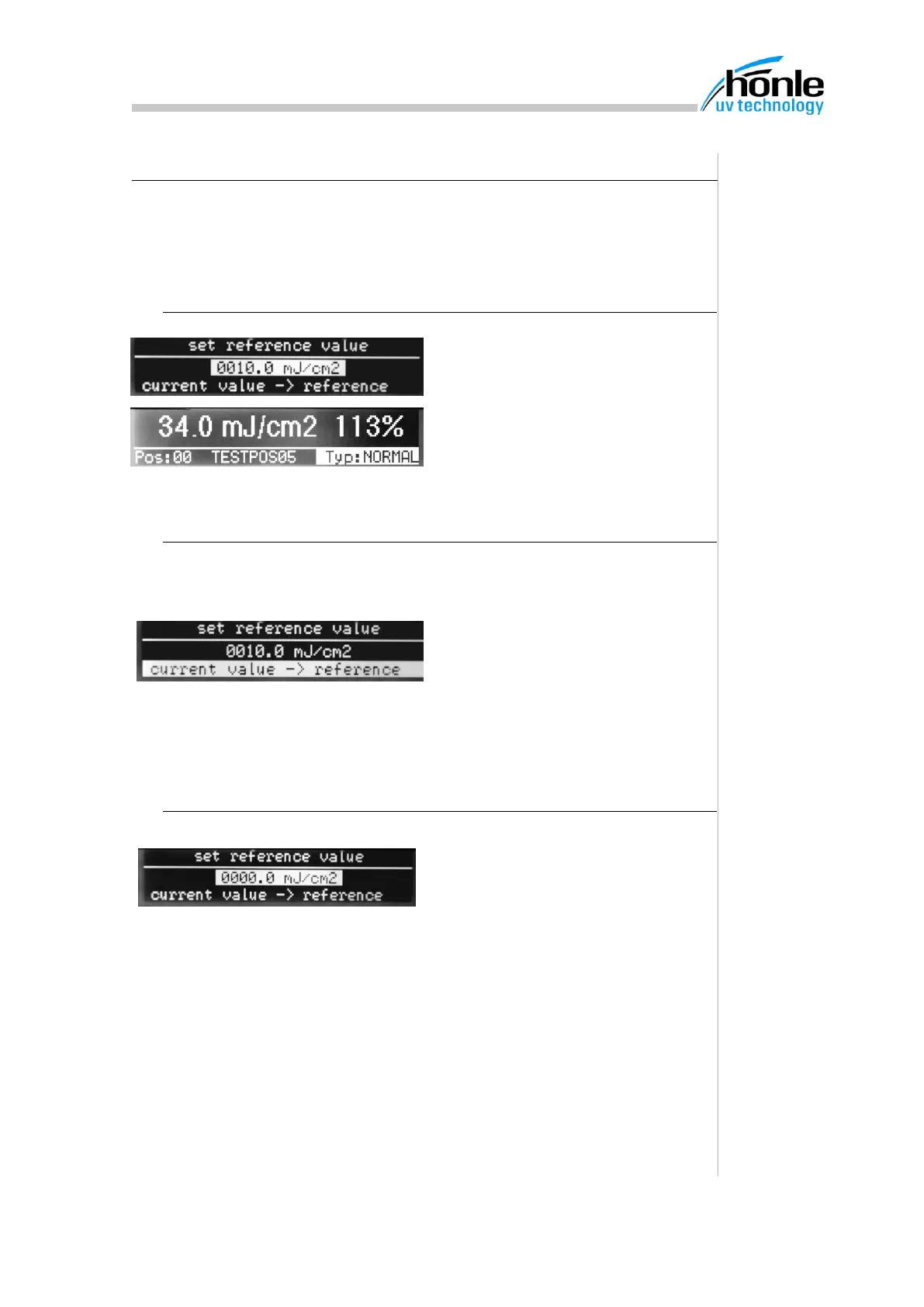
Using the cursor keys, scroll down in
the measured value display until the
"Define reference value" menu is dis-
played.
The measured value displays both the
measured value and the relative value.
7.2. Current measured value as reference
If the current measured value is to be used as the reference setting, it can be
saved very easily.
Insert the measuring strip and wait un-
til the measured value is shown in the
display. Move the cursor keys down to
change to the "Define reference
value" menu and select the line "Cur-
rent value ->Reference"
7.3. Switch relative value display off
To switch the relative value display off,
the reference value must be set to
0000.0 mJ/cm2.


 To Next Page