#03592DE-EN c 31
15.4. Configurate UV-Scan with the PC
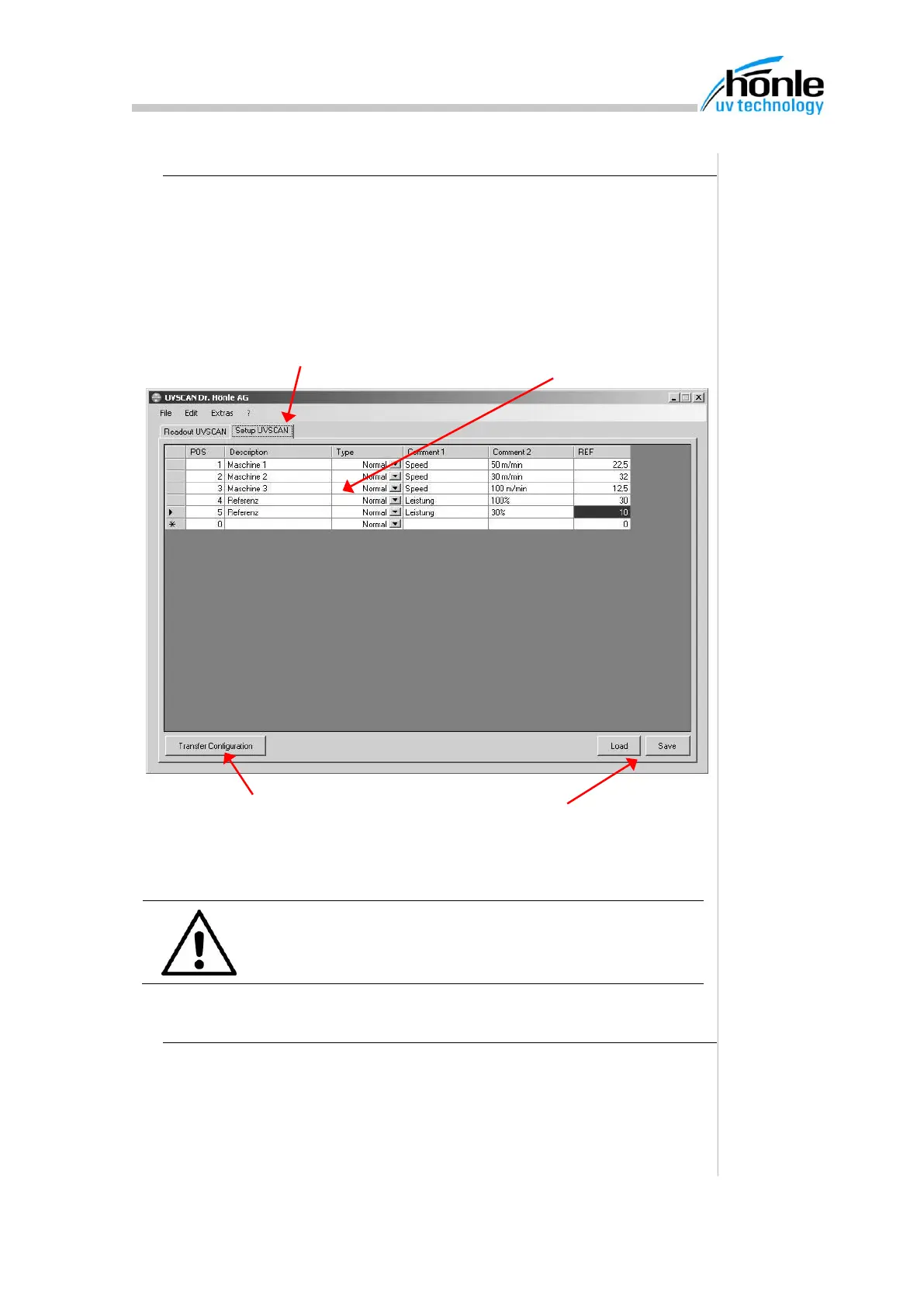
For easy configuration of the measurement positions in the UV-Scan a con-
figuration modul is included with the communication software. By clicking
on the register “Setup UVSCAN“ the configuration table is displayed. Here
you can enter all information’s for the different measurement positions. By
pressing the button “Transfer Configuration” the data will be transferred
over RS232 to the UV-Scan.
ATTENTION
The old configuration, stored in UV-Scan, will be over-
written by a transfer.
15.5. Select language and COM-Port
Menu “Options” enables you to change the language of the user interface.
In addition you can change in this menu the COM-Port setting.
1. Start configuration
module
2. Enter information for measurement
positions
3. Transfer configuration to
UV-San
4. If necessary complete configurations
can be stored and loaded again.


 To Next Page