UV-Scan
30 #03592DE-EN c
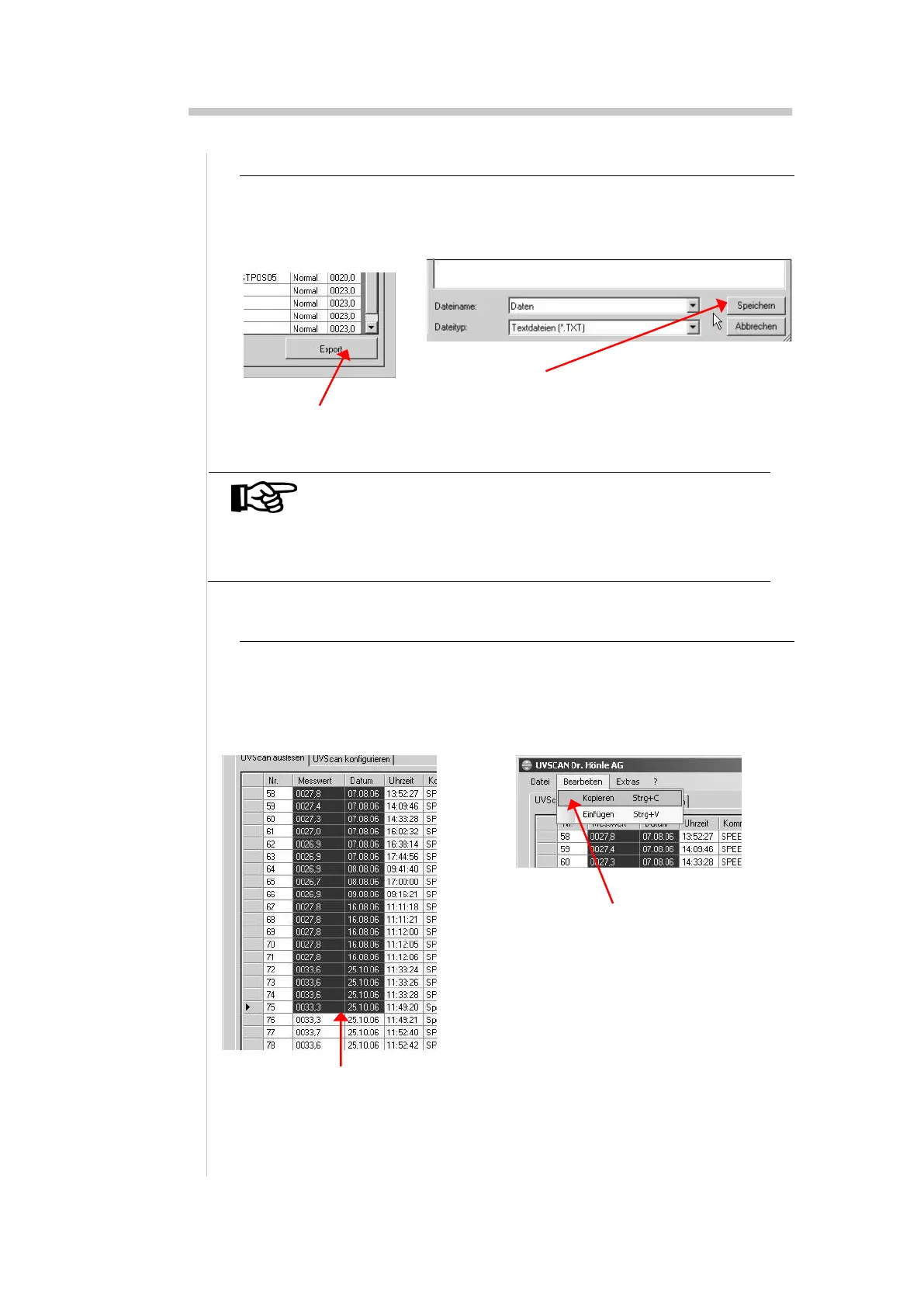
15.2. Export data
The transferred measurements can be exported as a txt-file or the software
can generate a csv-file which can easily be imported by Microsoft EXCEL.
NOTE
Opening of csv-files only works with EXCEL version 2003
or newer. With older versions you had to import the csv-
file by choosing the menue “Open” in the program
EXCEL.
15.3. Copy data to clipboard
The data can also be exported over the clipboard to other programs. Select
the appropriate date with the mouse and copy it by choosing menu
“edit/copy” to the clipboard. From there the data are available for other ap-
plications.
1. Select date with mouse
2. Menu “edit > copy” copies the
data to the clipboard
2. Choose file name and file type and then click Save


 To Next Page