#03592DE-EN c 13
4.3. Power supply
Use the plug-in power supply unit supplied. If necessary, the mains adapter
on this may need to be swapped over (see chapter: Changing the mains
adapter on the plug-in power supply unit)
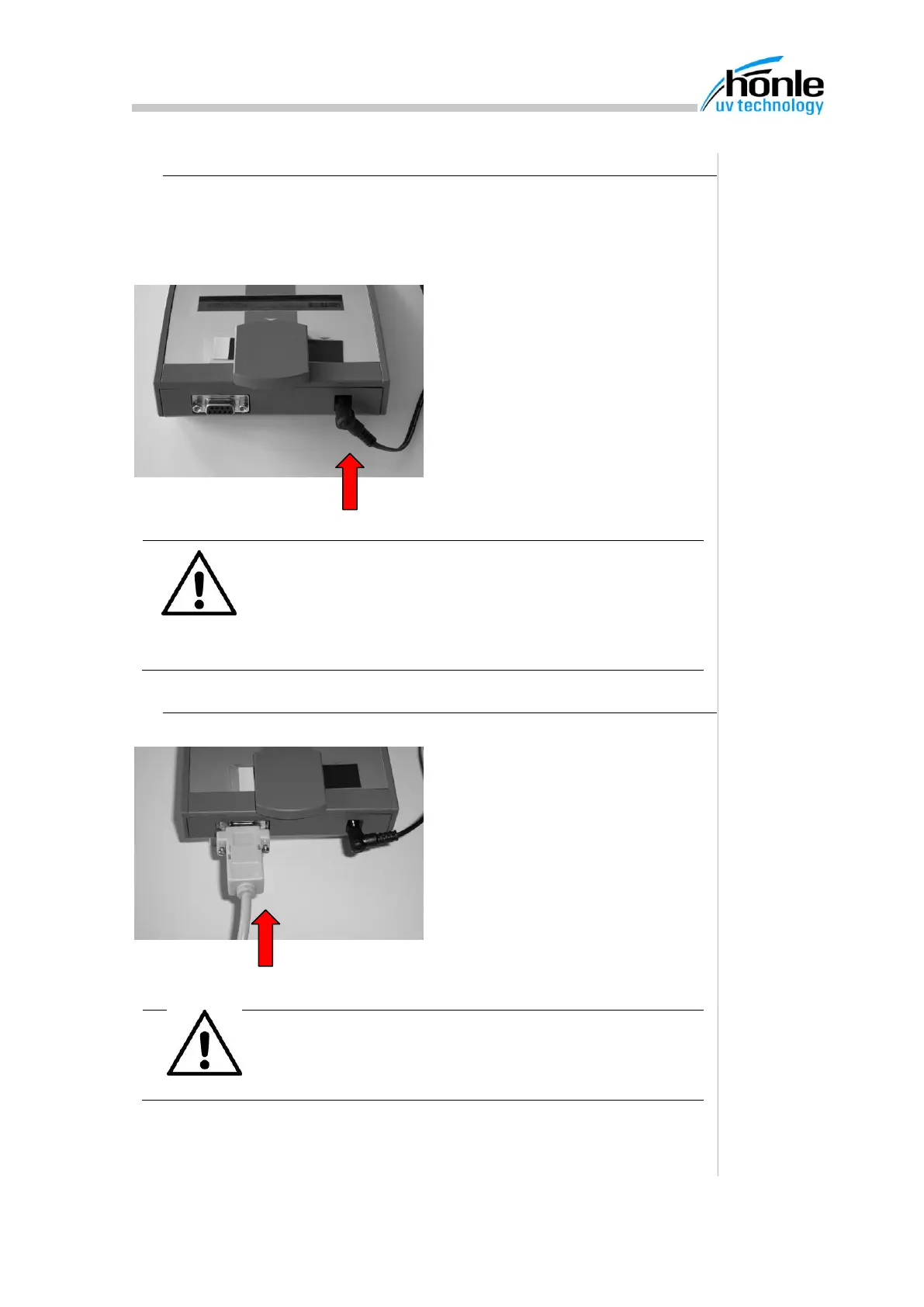
1. Connect power supply unit
to plug (11).
2. Insert plug-in power supply
unit into the mains supply.
4.4. PC connection (RS232 / USB)
Data are transmitted to a PC via the
RS232 Interface. The SubD cable
supplied should be used for connec-
tion.
An adapter cable for connection to a
USB interface is also available as an
option (see chapter on Accessories)
ATTENTION
To prevent any damage to the PC interface, the PC and
the UV-Scan should both be switched off when the in-
terface is switched on or off.
ATTENTION
The Hönle UV-Scan may only be used with the plug-in
power supply unit supplied and the enclosed accesso-
ries. If other power-supply units or spare parts are
used, the UV-Scan may be damaged. In such cases,
no claims may be made under the guarantee.


 To Next Page