#03592DE-EN c 29
15. Data communication software
For data transfer from UV-Scan to the PC a communication software is
available. You can order it at our customer support. The transferred meas-
urement data can be exported as txt-file or as csv-file for easy import to Mi-
crosoft EXCEL. In addition the software can be used for easily and fast
configuration of the measurement position, stored in UV-Scan.
15.1. Read out measured values
For data communication connect the UV-Scan to the serial Port of your PC.
(see section “PC-connection) and turn on the UV-Scan. As soon as the
message “Insert strip” is on the Display of the UV-Scan, it is ready for data
transfer.
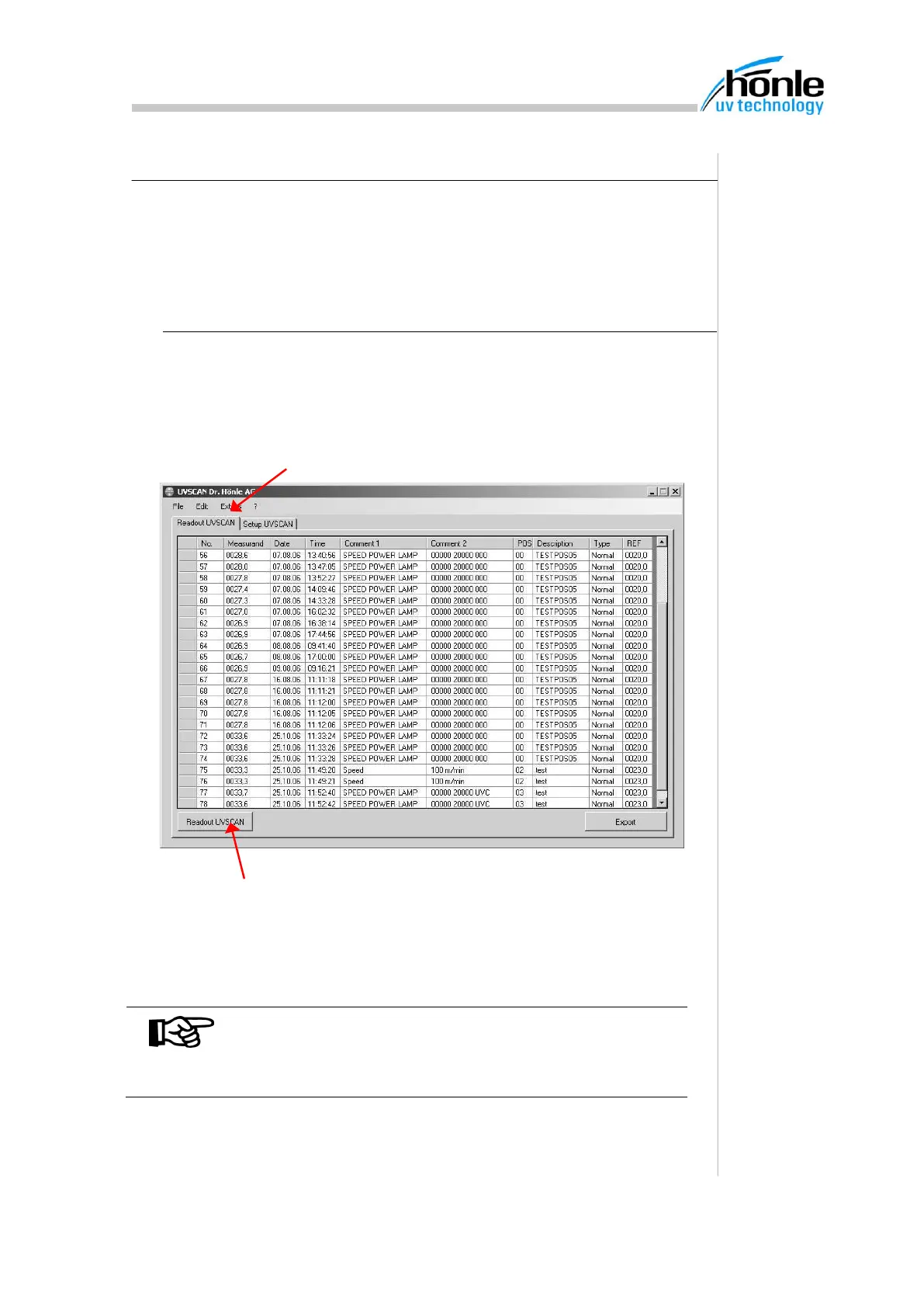
After data transfer the measurements will be displayed in the table.
NOTE
If its not possible to get a connection, please check the
settings for the used COM-Port in the menu “Ex-
tras/options”
1. Klick on register „Readout UVSCAN“
2. To start data transfer press button “Readout UVSCAN”


 To Next Page