2-12
Installing Accessories
GSC Mezzanine Cards
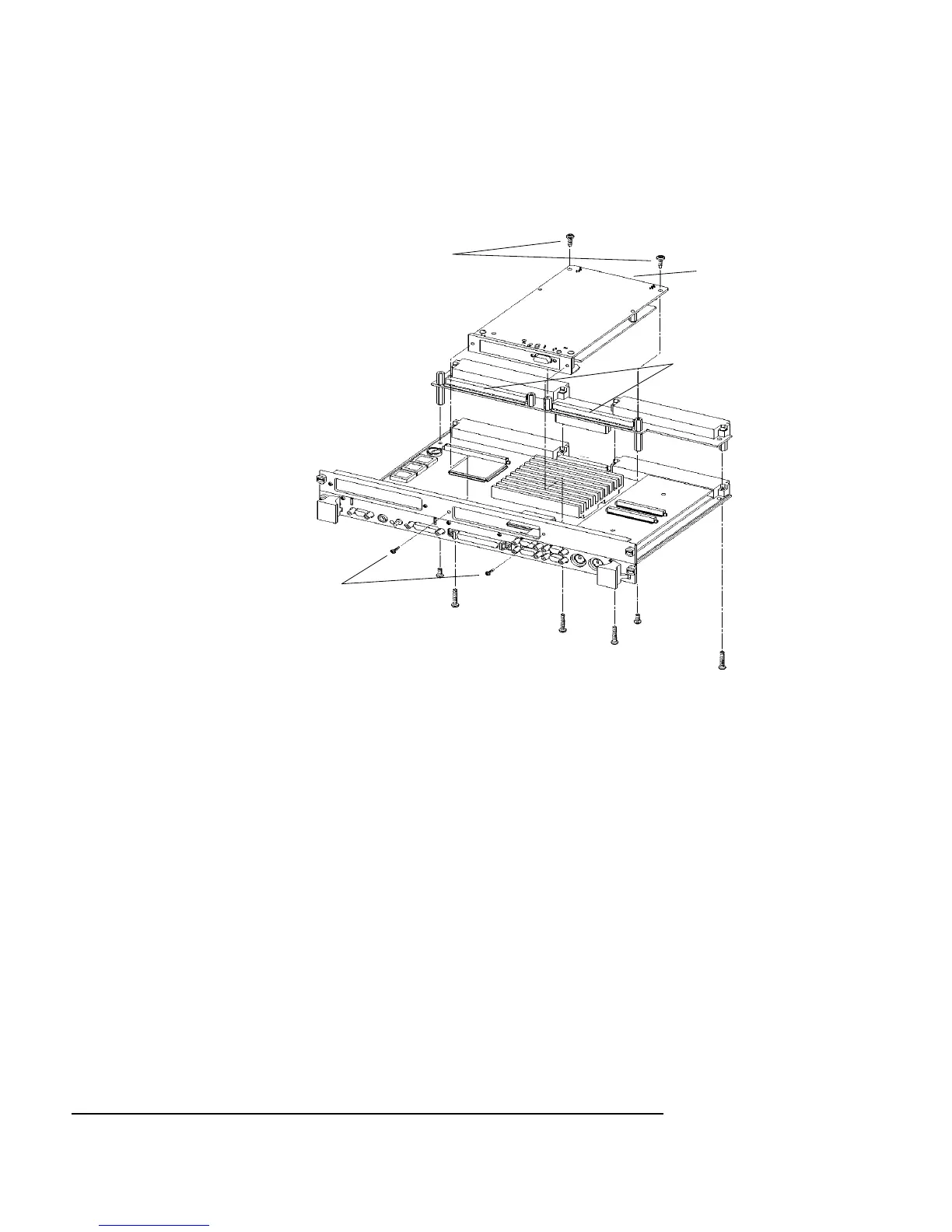
Figure 2-4 Installing a GSC Mezzanine Card (Exploded View with Adapter)
Installing an HCRX Graphics Board
An HCRX8 or HCRX24 graphics board occupies the same position as the
expansion kit adapter. These boards fasten to the 744 in almost the same way
as the expansion adapter, with four M2.5X12 screws and two M2.5X6
screws. On an HCRX board, there are two additional small screws located
on each side of the graphics connector that are fastened through the front
panel.
MX2.5X6
Screws
MX2.5X5
Front Panel
Screws
GSC Connectors
GSC
Mezzanine
Card



 To Next Page