2-18
Installing Accessories
PMC Bridge Adapter and Expansion Adapter
6 If you are installing the PMC expansion adapter, refer to your third party
PMC card installation manual, and set any configuration switches or
jumpers that may be required for your application.
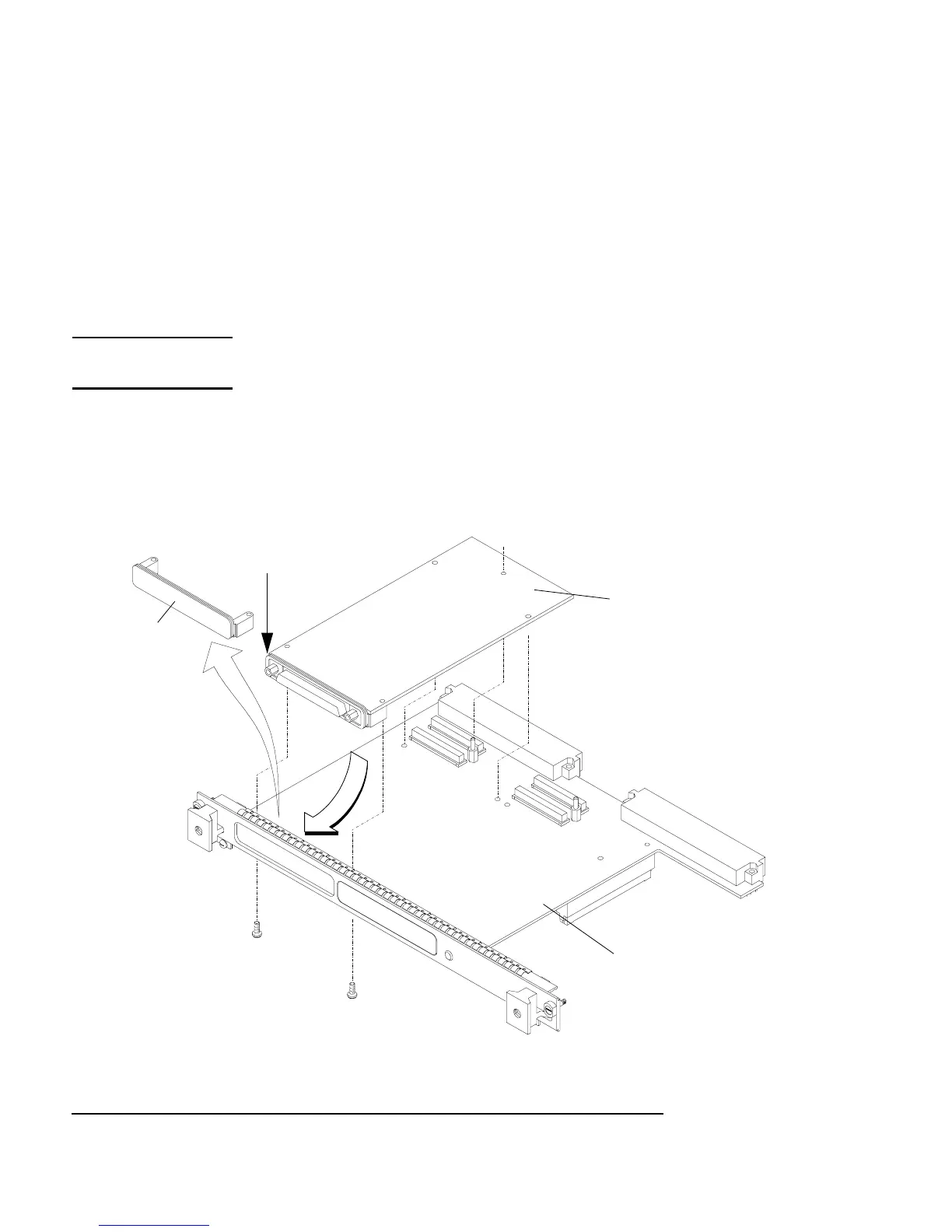
7 On the PMC expansion adapter, remove the bezel blank(s) from the sites
where you will be installing the PMC card(s). See Figure 2-8.
NOTE: When installing a PMC card, ensure that the O-ring type gasket near the bezel
remains in place.
8 Install the PMC card(s) onto the expansion adapter by aligning the front
of the card with the front bezel, and onto the rear of the card with the con-
nectors and post. See Figure 2-8.
Figure 2-8 Installing a PMC Card onto the Expansion Adapter
Site 3
Site 4
O-Ring Gasket
Expansion Adapter
PMC Card
blank
Bezel



 To Next Page