4-3
Connecting Cables
Introduction
Introduction
This chapter discusses connecting cables to one of the following ports on
your Model 744 Board Computer from a peripheral or accessory:
• Text terminal (RS-232) connection
• An audio connection
• A video (graphics circuit) connection
• A keyboard or mouse (PS/2 ports) connection
• A Network (AUI LAN) connection
• Printer (HP parallel and RS-232) connections
• A SCSI port connection
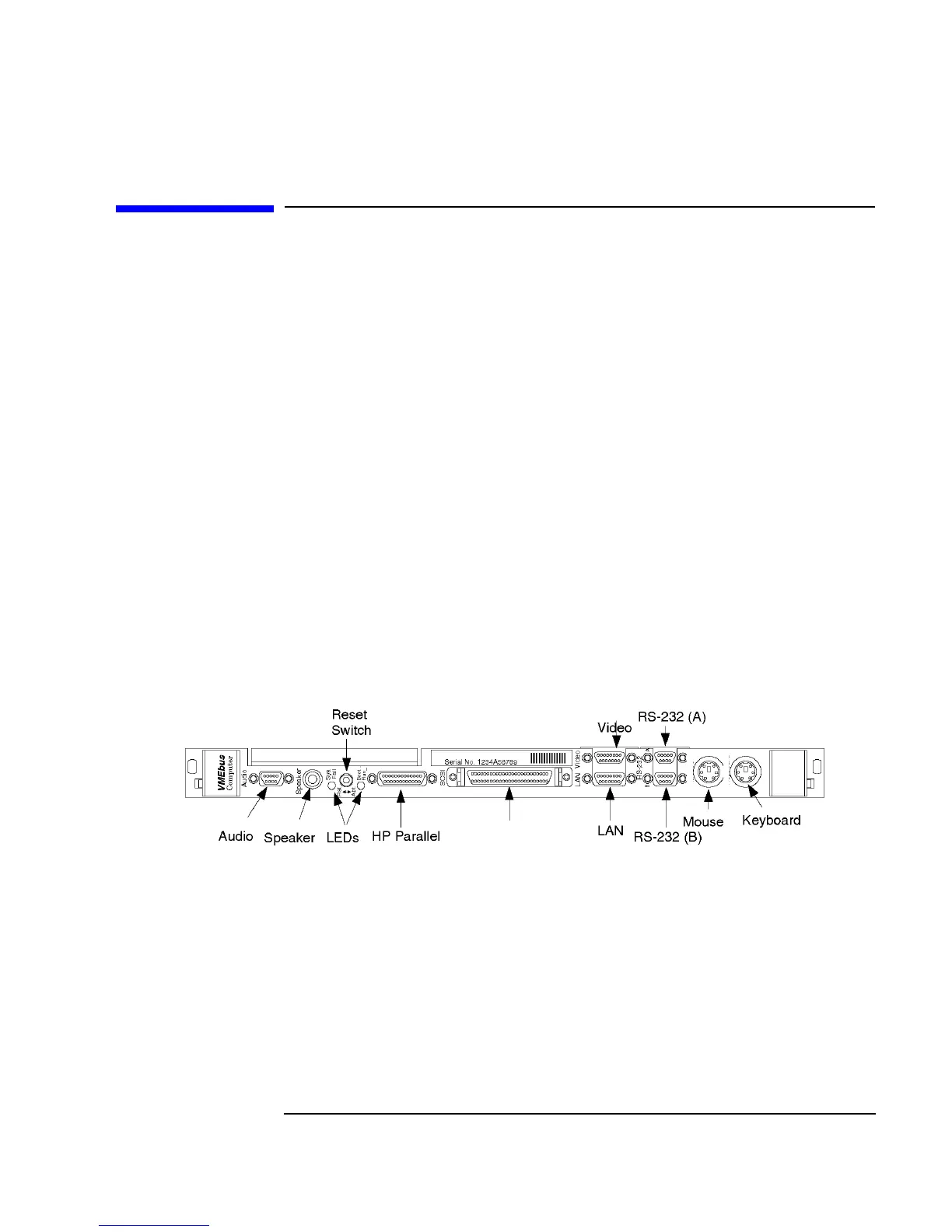
Figure 4-1 shows the front panel connectors for the Model 744.
Figure 4-1 Model 744 Front Panel Connectors
Kbd
PS/2
PS/2
0
1
SE SCSI



 To Next Page