2-17
Installing Accessories
PMC Bridge Adapter and Expansion Adapter
4 Remove the copper EMI gasketing from the front panel of the board com-
puter.
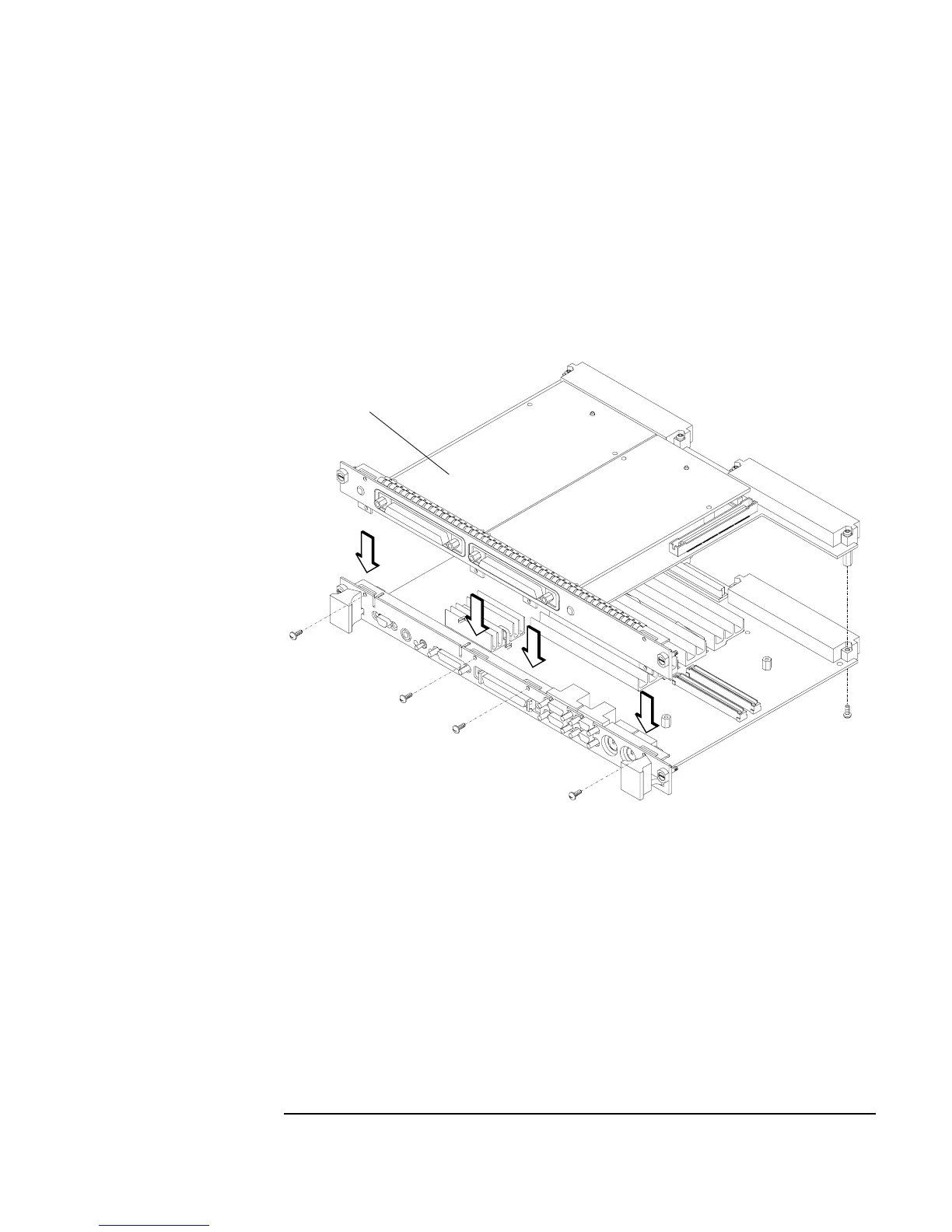
5 Install the PMC bridge adapter onto the board computer as shown in Fig-
ure 2-7. There are four screws that secure the front bezel, and four screws
that secure the VME connectors.
Figure 2-7 Installing the PMC Bridge Adapter onto the Board Computer
Front Bezel Screws (4)
Connector
Screws (4)
PMC Bridge Adapter
with 2 PMC Cards Installed



 To Next Page