2-19
Installing Accessories
PMC Bridge Adapter and Expansion Adapter
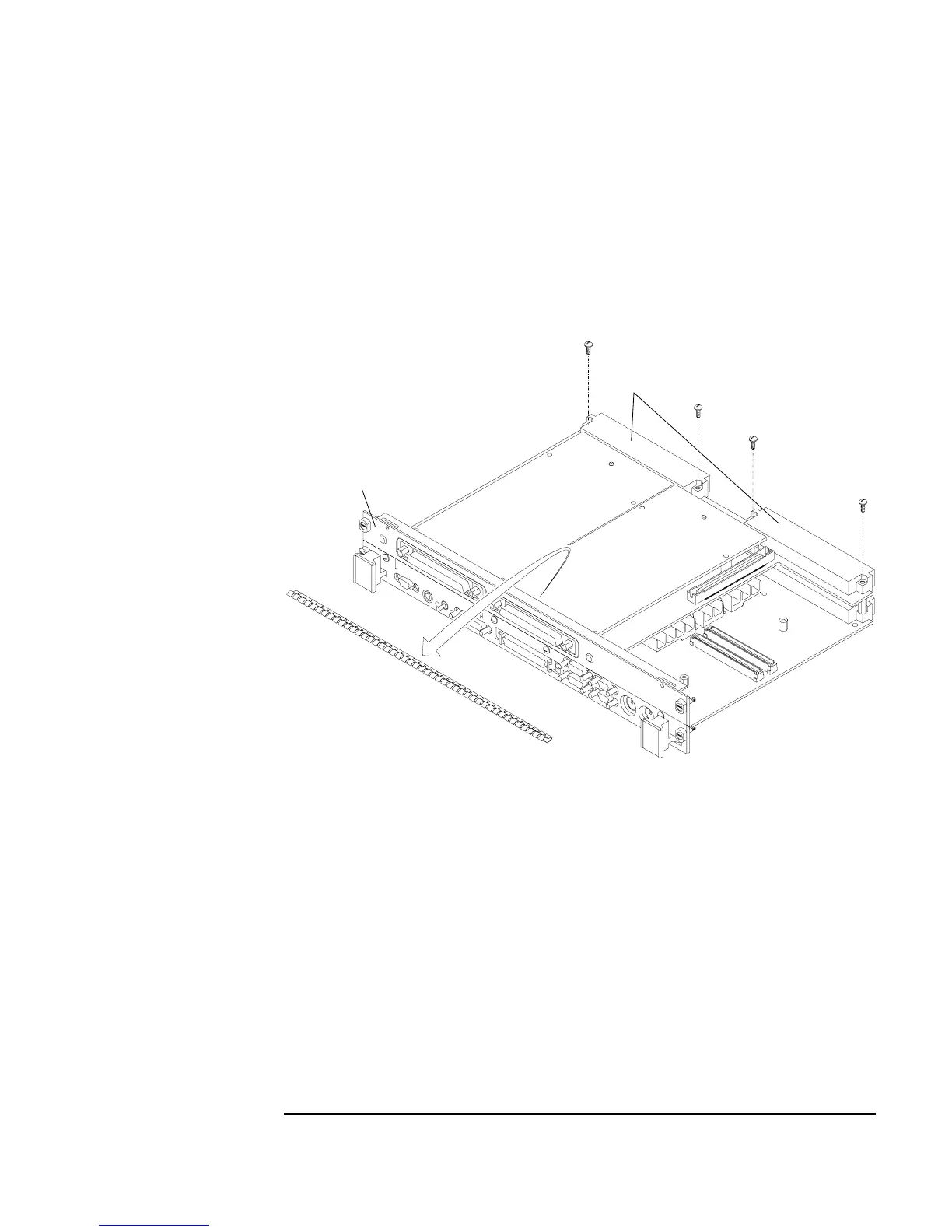
9 Remove the four screws from bridge adapter VME connectors, as shown
in Figure 2-9.
10 Using a small screwdriver or razor, remove the copper EMI gasket on the
front bezel of the bridge adapter, as shown in Figure 2-9.
Figure 2-9 Removing Bridge Adapter Screws and EMI Gasket
Screws (4)
EMI gasket
Bridge Adapter
Front Bezel
Bridge Adapter
VME Connectors



 To Next Page