HP Digital Sender 9250c
To install the USB card reader on an internal USB port on the HP Digital Sender 9250c, complete the
following steps:
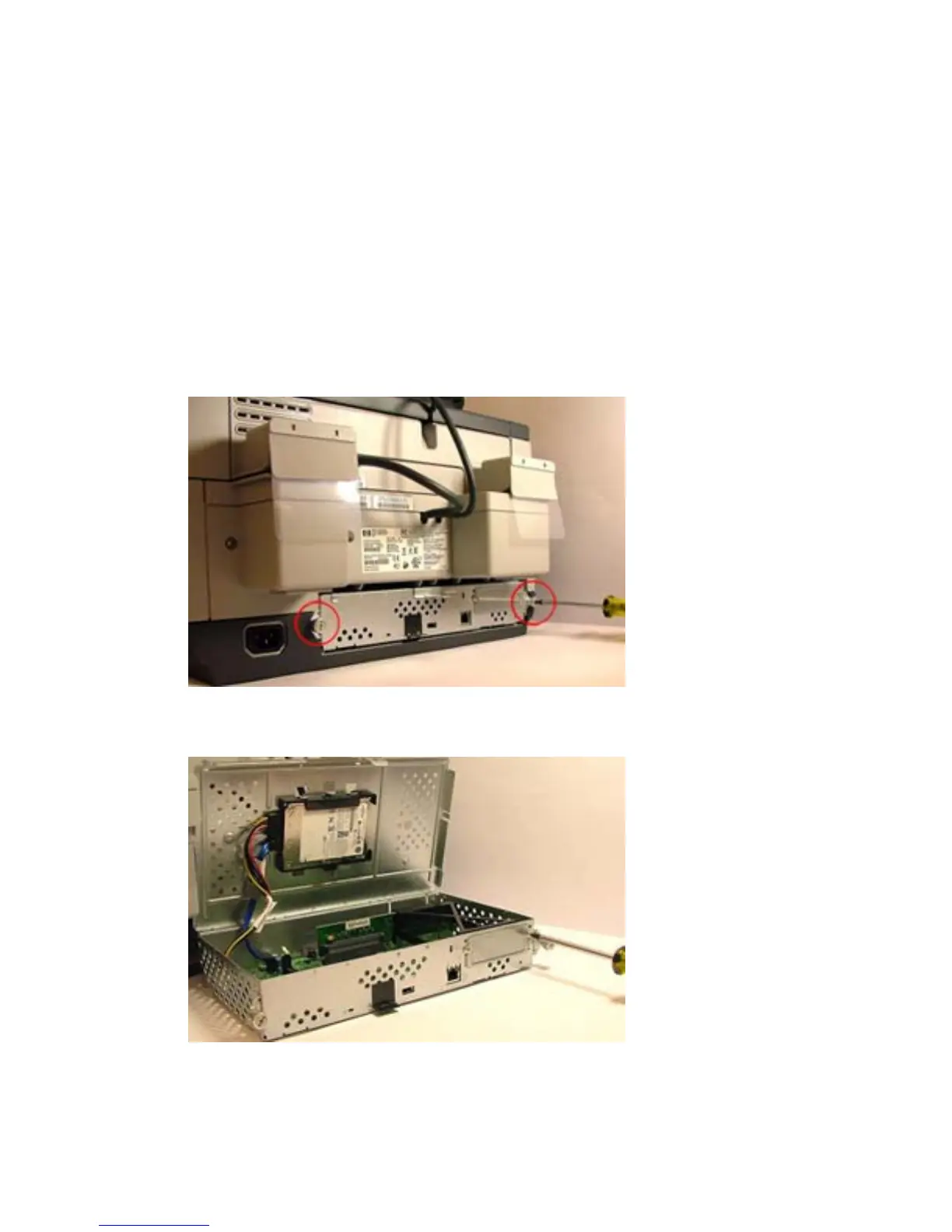
1. Turn off the power to the device.
2. Disconnect the power cable from the device.
3. Remove all cables from the formatter board.
4. Remove the formatter board.
a. Remove the two screws.
b. Gently pull the formatter board from the device.
Figure 1-25 Remove formatter cover — HP Digital Sender 9250c
5. Remove the existing EIO plate.
Figure 1-26 Remove EIO plate — HP Digital Sender 9250c
6. Insert the supplied EIO plate with cable protection. Make sure to route the card reader’s USB cable
through the plate.
22 Chapter 1 External USB card readers ENWW



 To Next Page