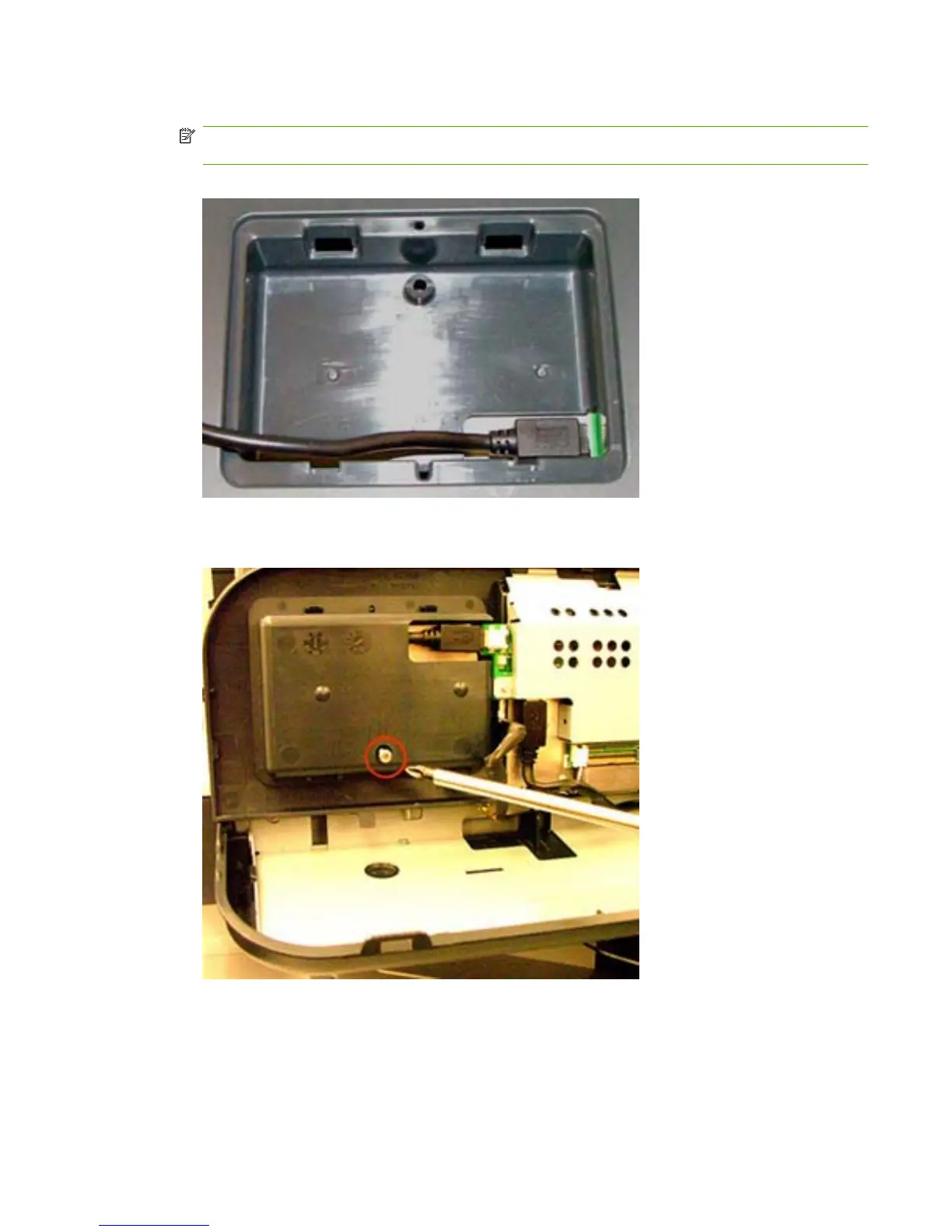
7. Connect the HIP card reader to the internal USB port.
NOTE: The HP device has either a mini or standard USB port. Use either the mini or standard
USB cable to connect the card reader to the HIP USB port.
Figure 3-5 Connect HIP reader — HP Color LaserJet CM3530 MFP
8. Insert a screw on the underside of the control panel assembly to secure the card reader.
Figure 3-6 Insert screw — HP Color LaserJet CM3530 MFP
ENWW Install HIP card reader 35



 To Next Page