

 Need help?
Do you have a question about the HP Elite 8300 Series Small Form Factor and is the answer not in the manual?
Overview of standard configuration features and model variations.
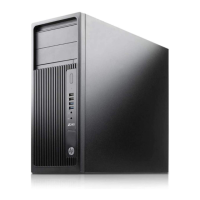
Detailed description of front panel components for the Convertible Minitower.
Detailed description of front panel components for the Microtower.
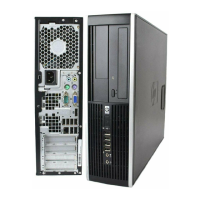
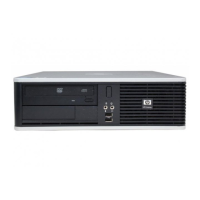
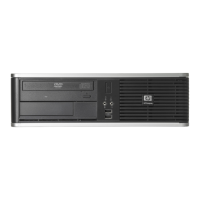
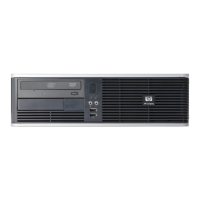
Detailed description of front panel components for the Small Form Factor.
Detailed description of front panel components for the Ultra-Slim Desktop.
Information on where to find the serial and product ID numbers on the computer.
Steps for activating and customizing software for Windows 7.
Guidance on downloading updates for the Windows 7 operating system.
Instructions for installing or upgrading device drivers after OS installation.
Steps for activating and customizing software for Windows 8.
Guidance on downloading updates for the Windows 8 operating system.
Overview of available functions within the Computer Setup utility.
Step-by-step instructions on how to access and navigate the Computer Setup utility.
List of spare parts for the Convertible Minitower chassis, including components.
List of spare parts for the Microtower chassis, including components.
List of spare parts for the Small Form Factor chassis, including components.
List of spare parts for the Ultra-Slim Desktop chassis, including components.
Precautions and procedures to prevent damage from static electricity.
General guidelines for operating the computer to ensure proper function and longevity.
Procedures for cleaning the computer's exterior and interior components.
Initial safety procedures and preparation steps before disassembling the computer.
Instructions for removing and replacing the access panel and front bezel.
Details on system board connectors and installing memory modules (DIMMs).
Procedures for installing/removing expansion cards and drives, including drive bay locations.
Instructions for replacing the processor, power supply, and system board.
Initial safety procedures and preparation steps before disassembling the computer.
Instructions for removing and replacing the access panel and front bezel.
Procedures for installing/removing memory modules and expansion cards.
Steps for handling drives, fans, and the processor heat sink.
Instructions for replacing the processor and the system board.
Initial safety procedures and preparation steps before disassembling the computer.
Instructions for removing and replacing the access panel and front bezel.
Procedures for installing/removing memory modules and expansion cards.
Steps for handling drives, fans, heat sink, and related components.
Instructions for replacing the processor and the system board.
Initial safety procedures and preparation steps before disassembling the computer.
Instructions for removing and replacing the access panel and front bezel.
Details about SODIMM memory modules, including installation and configuration.
Procedures for removing and replacing the front fan and optical drive.
Steps for handling hard drives, heat sink, and the processor.
Instructions for replacing the system board and rear fan.
Guidelines for establishing a safe and comfortable work environment.
Steps to isolate problems before contacting technical support.
Common causes and solutions for general computer issues.
Common causes and solutions for power supply issues.
Common causes and solutions for hard drive errors and performance issues.
Common causes and solutions for display and monitor issues.
Common causes and solutions for audio output and playback issues.
Troubleshooting steps for unrecognized or conflicting hardware installations.
Common causes and solutions for network connectivity and controller issues.
Troubleshooting steps for memory installation and performance issues.
Common causes and solutions for processor performance and installation issues.
Troubleshooting steps for application installation, memory, and driver conflicts.
List of numeric codes and text messages encountered during POST and their recommended actions.
Guide to understanding front panel LED and audible error codes for diagnostics.
Procedure to reset setup or power-on passwords by using the password jumper.
Steps to clear CMOS settings to factory defaults, including AMT settings.
Benefits of using HP PC Hardware Diagnostics for identifying hardware failures.
Instructions on accessing and running the UEFI diagnostics tool.
Steps to download diagnostic tools onto a USB drive for system diagnostics.
Procedures for backing up data and performing system recovery in Windows 7.
Using Windows Backup and Restore for data protection and system recovery in Windows 8.
Detailed steps for performing system recovery using Windows tools or recovery media.
General requirements for power cord sets applicable to all countries.
Specific power cord requirements for use in Japan.
Additional requirements specific to various countries for power cords.
Technical specifications for the Convertible Minitower (CMT) chassis.
Technical specifications for the Microtower (MT) chassis.
Technical specifications for the Small Form Factor (SFF) chassis.
Technical specifications for the Ultra-Slim Desktop (USDT) chassis.

 To Next Page

 General