Ballast kit
Kit overview
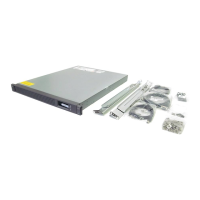
The Ballast kit provides additional stability and support when heavy equipment is installed, removed, or accessed within the
rack.
Kit contents (120672-B21)
Item Quantity
Ballast assembly 2
M6 screws 10
Cage nuts 10
Required tools (ballast kit)
The following tools are required for installation:
• Cage nut insertion tool
• T-25 Torx driver
Installing the ballast kit
Install a single ballast assembly as close to the bottom of the rack as possible. If installing both ballast assemblies, install both
assemblies as close to the bottom of the rack as possible.
Prerequisites
Ensure that the rack is empty of all equipment prior to installing the kit.
Procedure
1.
Use a cage nut insertion tool to install the two bottom cage nuts.
Ballast kit
14



 To Next Page
 Loading...