1/4 Turn Hook and Loop Cabling Strap kit
Kit overview
The 1/4 Turn Hook-and-Loop Cabling Strap kit enables you to add hook-and-loop cabling strap clips to manage your cable
configurations for your racks. The cabling straps attach to the rear cable management bracket.
Kit contents (BW963A, BW964A)
Item Quantity
1/4 Turn Hook and Loop Strap 10 PK 10
1/4 Turn Hook and Loop Strap 100 PK 100
Required tools
No tools are required for this procedure.
Installing the 1/4 turn hook-and-loop cabling strap clips
Procedure
1.
Route and secure your cables with the hook-and-loop cabling strap clips.
2.
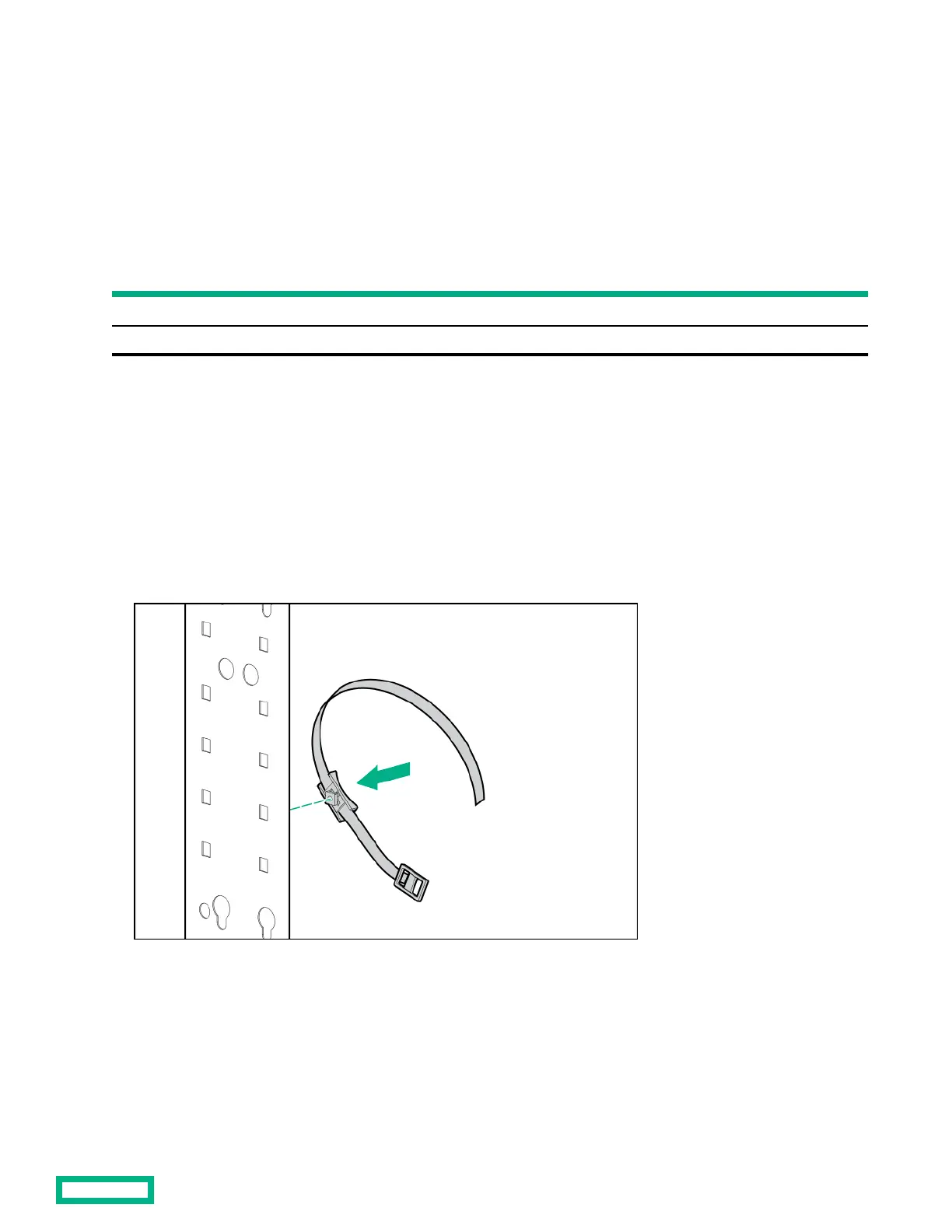
Turn the hook-and-loop cabling strap clip at a slight angle to align the square nut with the square hole on the rack.
3. Insert the square nut into the square hole on the rack, and then turn it at a 45 degree angle to lock it into place.
1/4 Turn Hook and Loop Cabling Strap kit
44



 To Next Page
 Loading...