Filler Panel kit
Kit overview
The Filler Panel kit enables you to cover open areas of the racks to better control airflow.
Kit contents (BW928A, BW929A)
Item Quantity
1U Filler panels
—or—
1U Filler panels
10
100
Required tools
No tools are required for this procedure.
Installing the filler panel
Procedure
1.
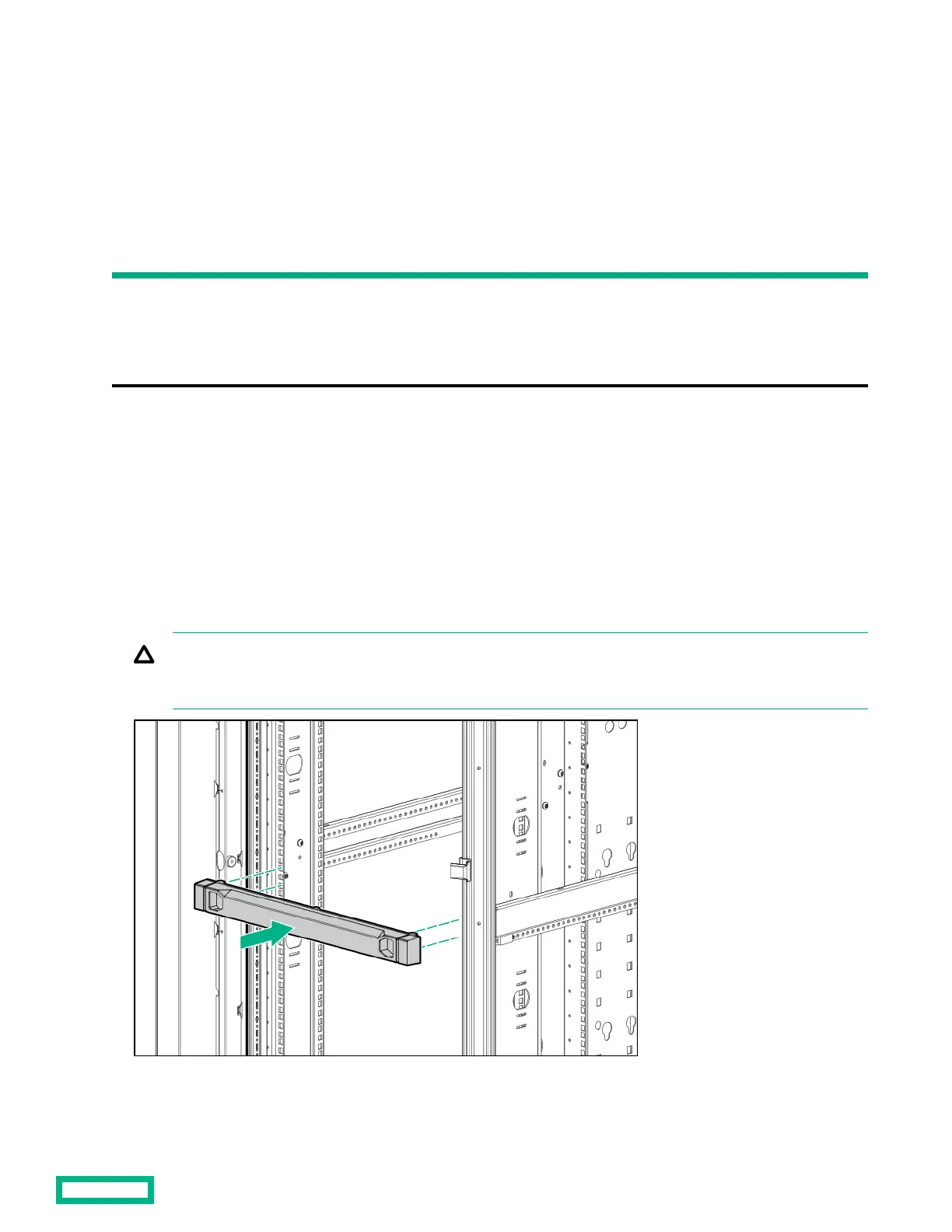
Position the filler panel in the desired rack location.
2.
Snap the filler panel into place.
CAUTION: Always use filler panels to fill all remaining empty front panel U-spaces in the rack. This arrangement
ensures proper airflow. Using a rack without filler panels results in improper cooling, which can lead to thermal
damage.
Filler Panel kit 30


 To Next Page
 Loading...