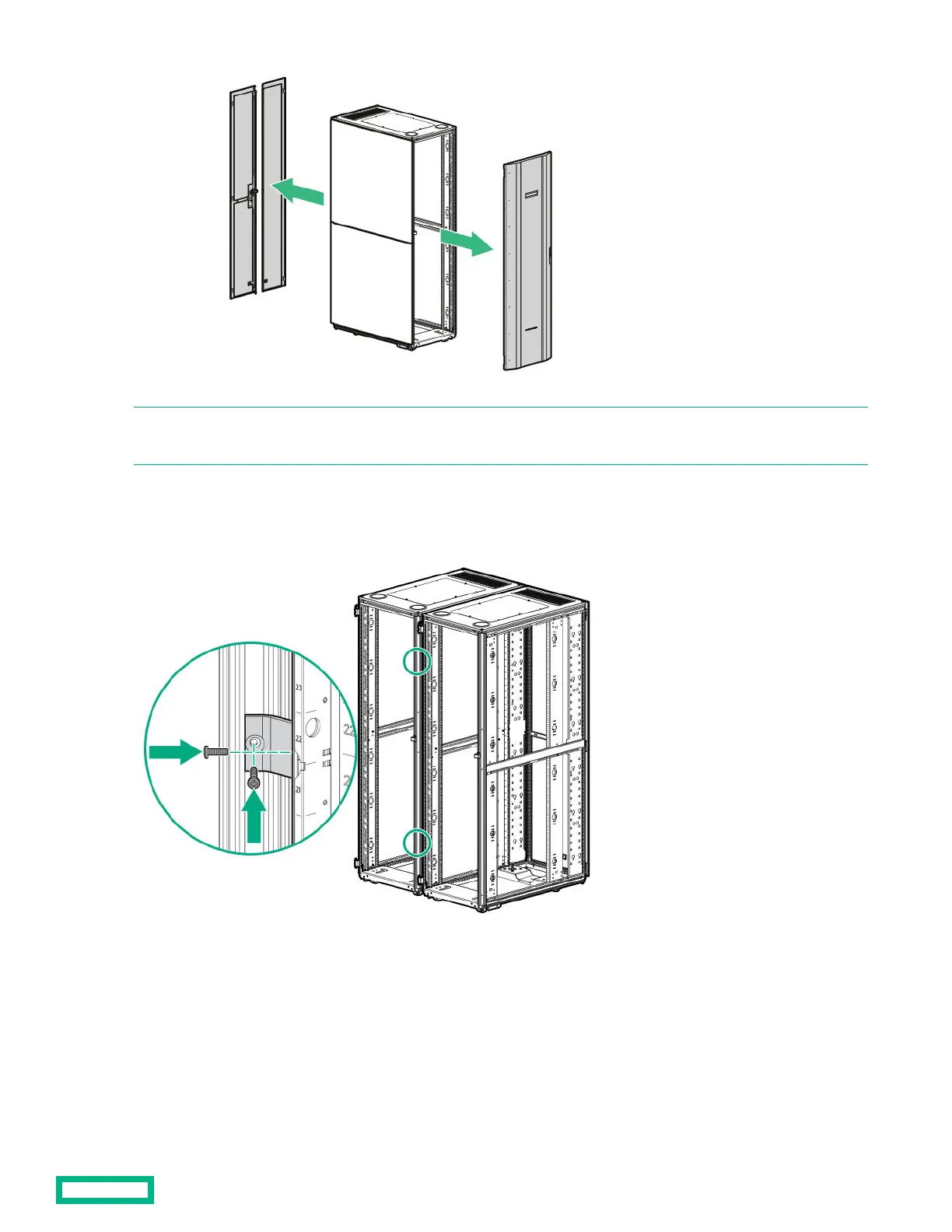
NOTE: If you are connecting an HPE Advanced or Enterprise G2 series rack to a 10K G3, 11K G2, Intelligent, Advanced G1,
or Enterprise G1 rack, then you must also remove the side panels on the racks before baying them together.
2.
Position the racks side by side, ensuring that the feet of the racks are on solid flooring (no cracks or openings).
3.
Using two T-30 Torx screws in each bracket, attach two baying brackets (either 24-inch or 600-mm, depending on the
floor layout) to the front and rear of each rack set.
4. Bay any additional racks.
Baying kits
18


 To Next Page
 Loading...