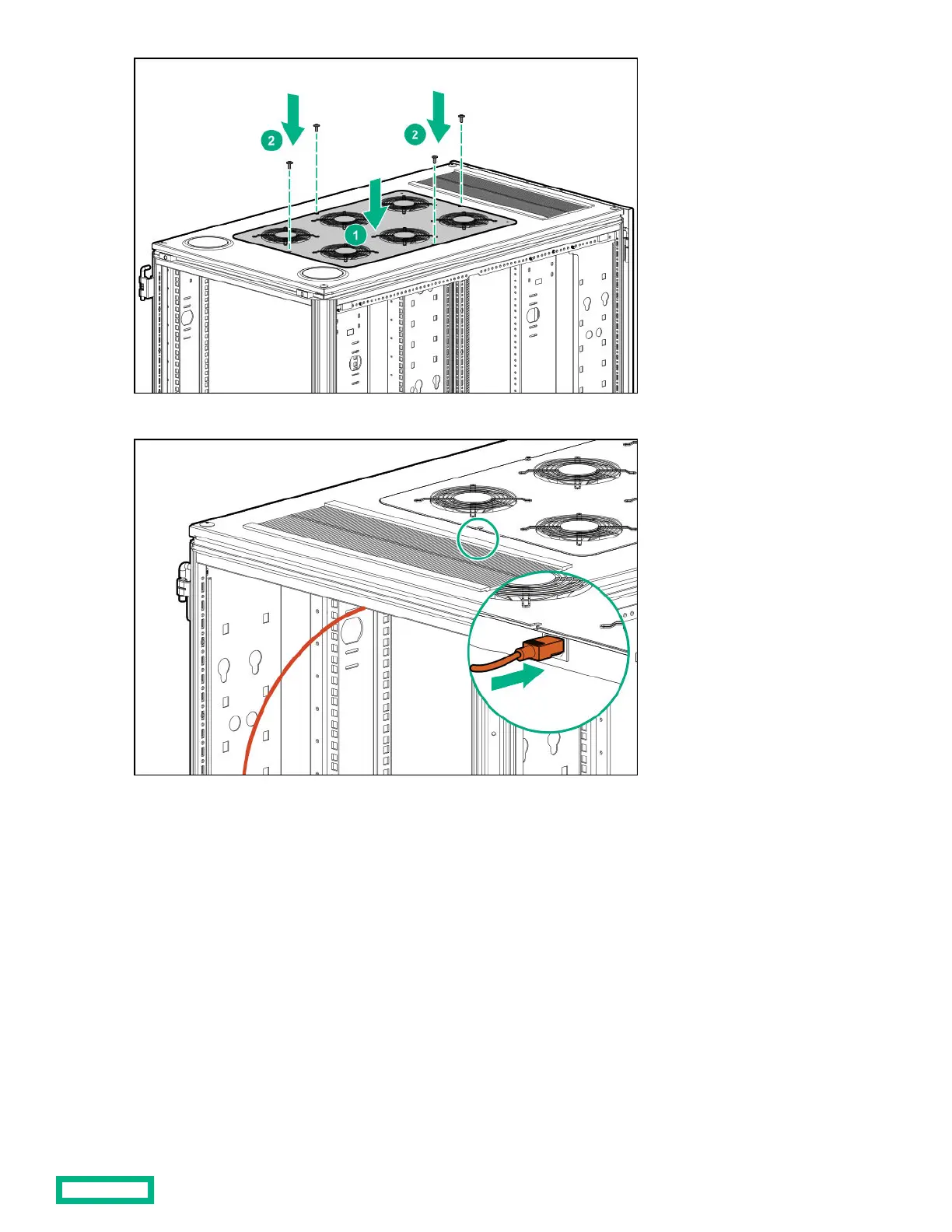
4. Connect the power cord to the fan assembly.
5. Insert the notched end of the tie wrap into a small hole in the rack rail and push the tie wrap in to lock it in place.
6. Encircle the power cord with the tie wrap by inserting the free end of the tie wrap into the hole on the other end of the tie
wrap, pulling the tie wrap tight, and cutting o excess length.
Rack Roof Mount Fan kit 28



 To Next Page
 Loading...