Procedure
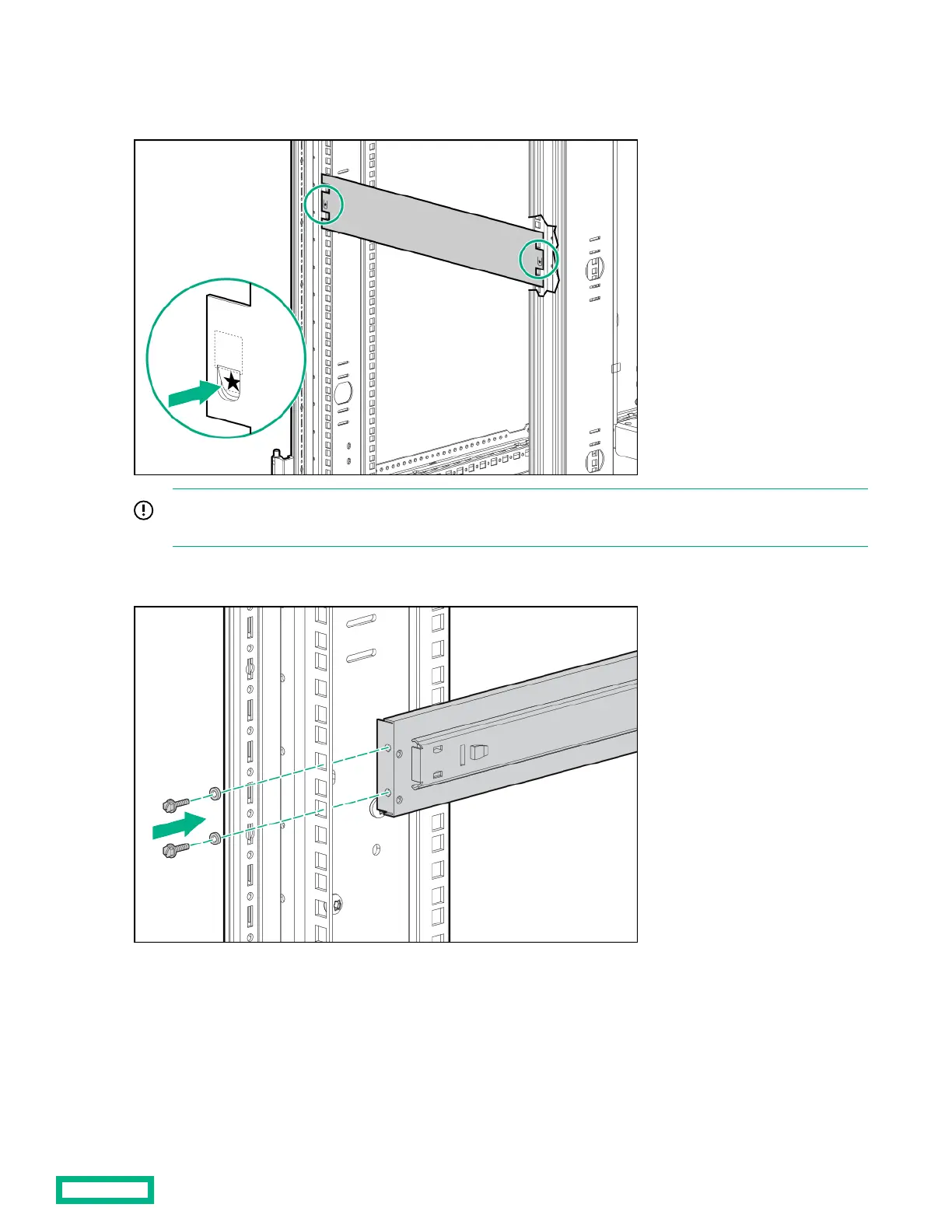
1. Use the template on the front and rear of the rack frame to mark the attachment points for the sliding shelf rail assemblies,
by measuring from the top of the component installed below the desired position for the sliding shelf.
IMPORTANT: When using the template on the rear of the rack frame, mark the rack at the top of the template to
help align the next rack component.
2.
Align and secure the rear of the left sliding shelf rail assembly to the rear of the rack frame with two M6 x 12 pan HD
screws and M6 external washers.
3. Secure the front of the left sliding shelf rail assembly to the front of the rack frame with two M6 x 12 pan HD screws and
M6 external washers.
100 Kilo Sliding Shelf kit
60



 To Next Page
 Loading...