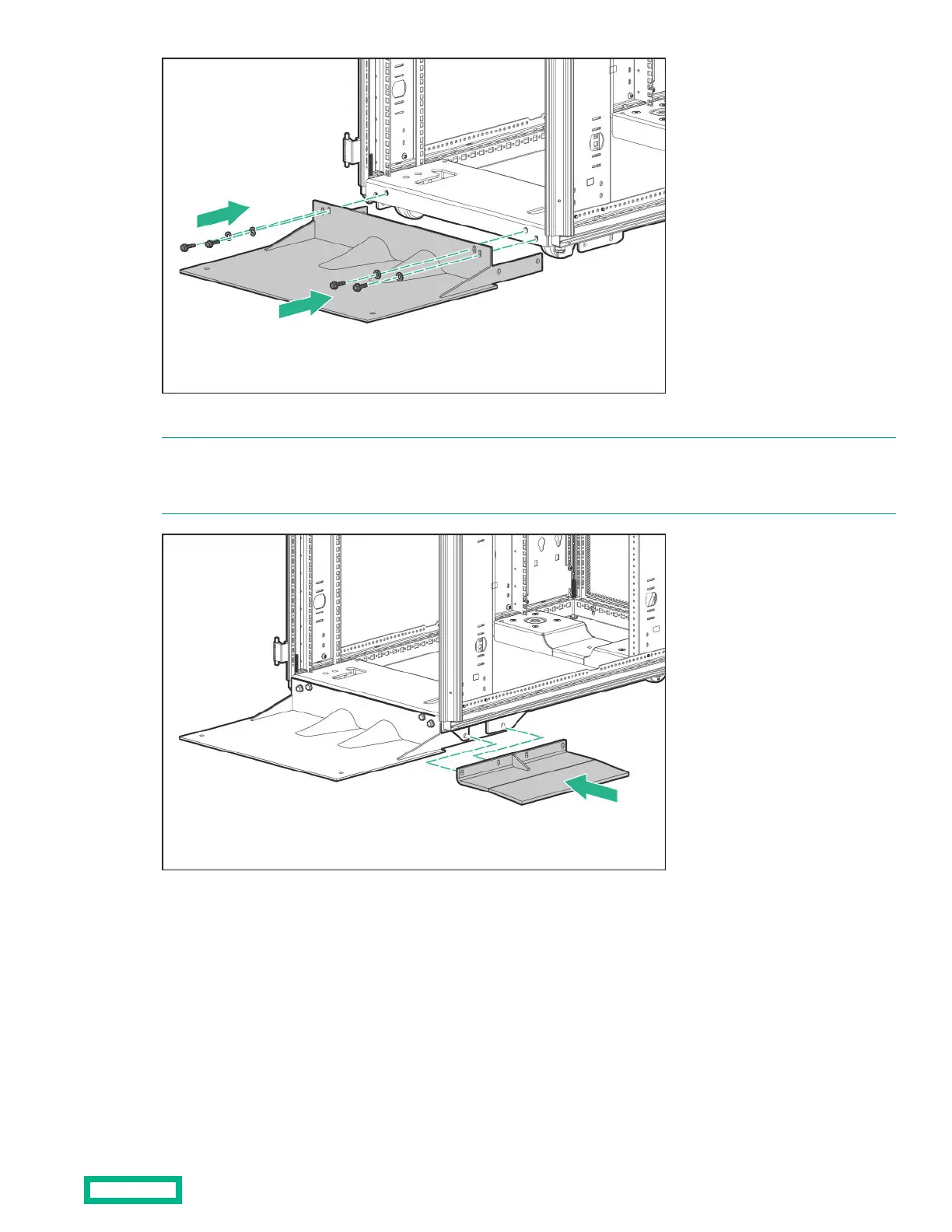
3. If you are using the side feet, align the side feet with the holes on the caster plate skirt and front foot.
NOTE: Hewlett Packard Enterprise recommends using the side feet, provided with this kit, to stabilize standalone racks
from the side. If you are stabilizing racks that are secured together with baying kits, the side feet are optional on either end
of the row.
4. Insert and partially tighten two bolts with washers, securing the side feet (if installed) and front foot to the caster plate
skirt.
Stabilizer kit
67



 To Next Page
 Loading...