400 Series
EN - 27
Fig. 12: Instrument connection for 400V + N + PE three-phase RCD test by means of
single cables and remote probe
Fig. 13: Instrument connection for 400V + N (no PE) three-phase RCD test by means of
single cables and remote probe
Fig. 14: Instrument connection for 400V + PE (no N) three-phase RCD test by means of
single cables and remote probe
1.
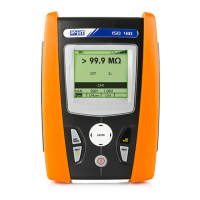
Press the MENU key, move the cursor to RCD
in the main menu by means of the arrow keys
(,) and confirm with ENTER. Subsequently
the instrument displays a screen similar to the
one reported here to the side.
RCD
0°
---ms
FRQ=50.0Hz Ut=0.0V
VP-N=230V VP-Pe=230V
x1 30mA 50V
Func IdN RCD UL
2.
Use the , keys to select the parameter to be modified, and the , keys
to modify the parameter value.
It is not necessary to confirm the selection with ENTER.
Func
The virtual Func key allows setting the measuring mode of the
instrument, which may be: AUTO, x½, x1, x2, x5, , RA
IdN
The virtual IdN key allows setting the nominal value of the RCD’s
tripping current, which may be: 10mA, 30mA, 100mA, 300mA,
500mA, 650mA, 1A


 To Next Page
 Loading...