Camera and Multimedia 131
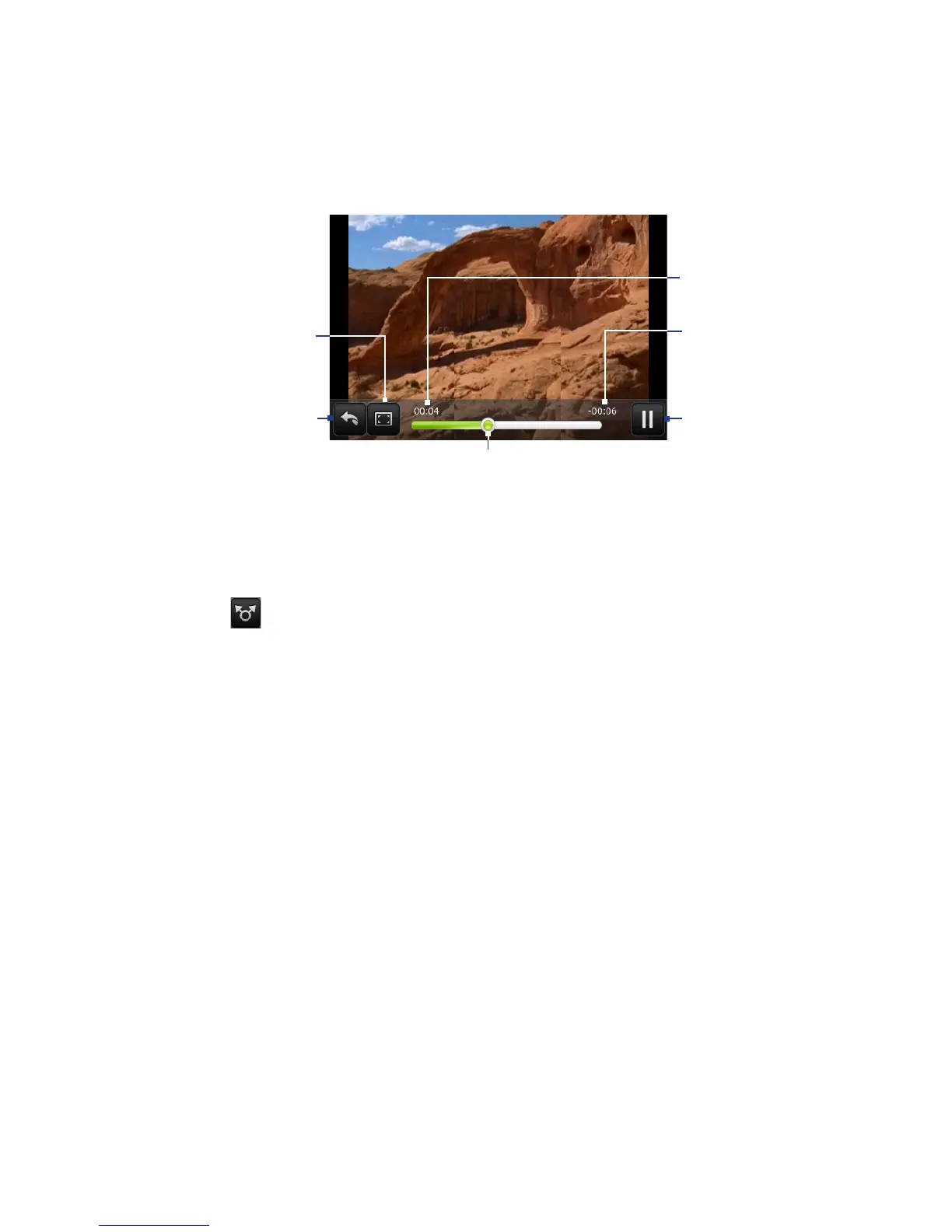
Tap to toggle
between playing and
pausing the video.
Tap to go back to
video album.
Elapsed time
Time remaining
Tap to view the
video in full
screen. Tap again
to revert to the
original size.
Drag to the left or right to go back
or forward in the video.
To send a video using email
1. In the Albums screen, open the album where the videos you want to share
are in.
2.
Tap and then on the Share options menu, tap Gmail/Google Mail or
Mail.
3.
Select the videos you want to send and then tap Next.
Note For Gmail/Google Mail, tap the video you want to send. You can only send one
video.
4. The videos are automatically added as an attachment to the email.
Note If you selected Mail and you have multiple email accounts, the default email
account will be used.
5. Compose your message and then tap Send.



 To Next Page