196 Other Applications
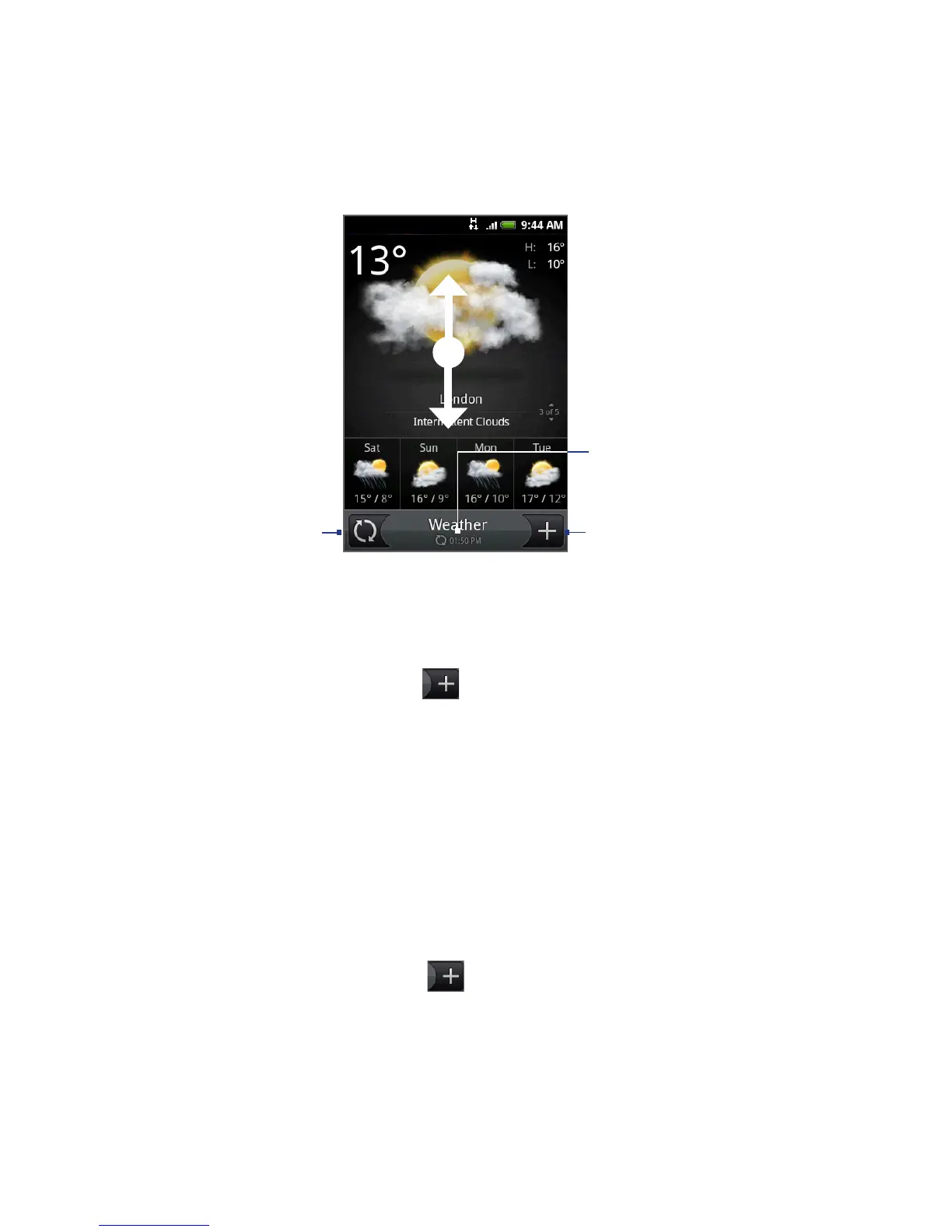
Add a location.
Shows the last
weather update.
To view the weather in
other cities, swipe your
finger upward/downward
on the screen.
Download the latest
weather information.
Displaying weather in your location
If location service is disabled, you can set your current location and add it to
Weather.
1.
On the Weather screen, tap , and then tap My location.
2.
When prompted to enable location source, tap Enable, select the Use
wireless networks check box, and then tap Agree on the confirmation box.
3.
Press BACK. A blinking dot shows your approximate location on a map.
Tip If you want to adjust your location on the map, press and hold the push pin, and
then drag it to your desired location.
4. Tap Done. Your location information displays on the screen.
5.
Tap Add. The weather in your current location displays on the screen.
Adding a city
1. On the Weather screen, tap .



 To Next Page