94 Exchanging Messages
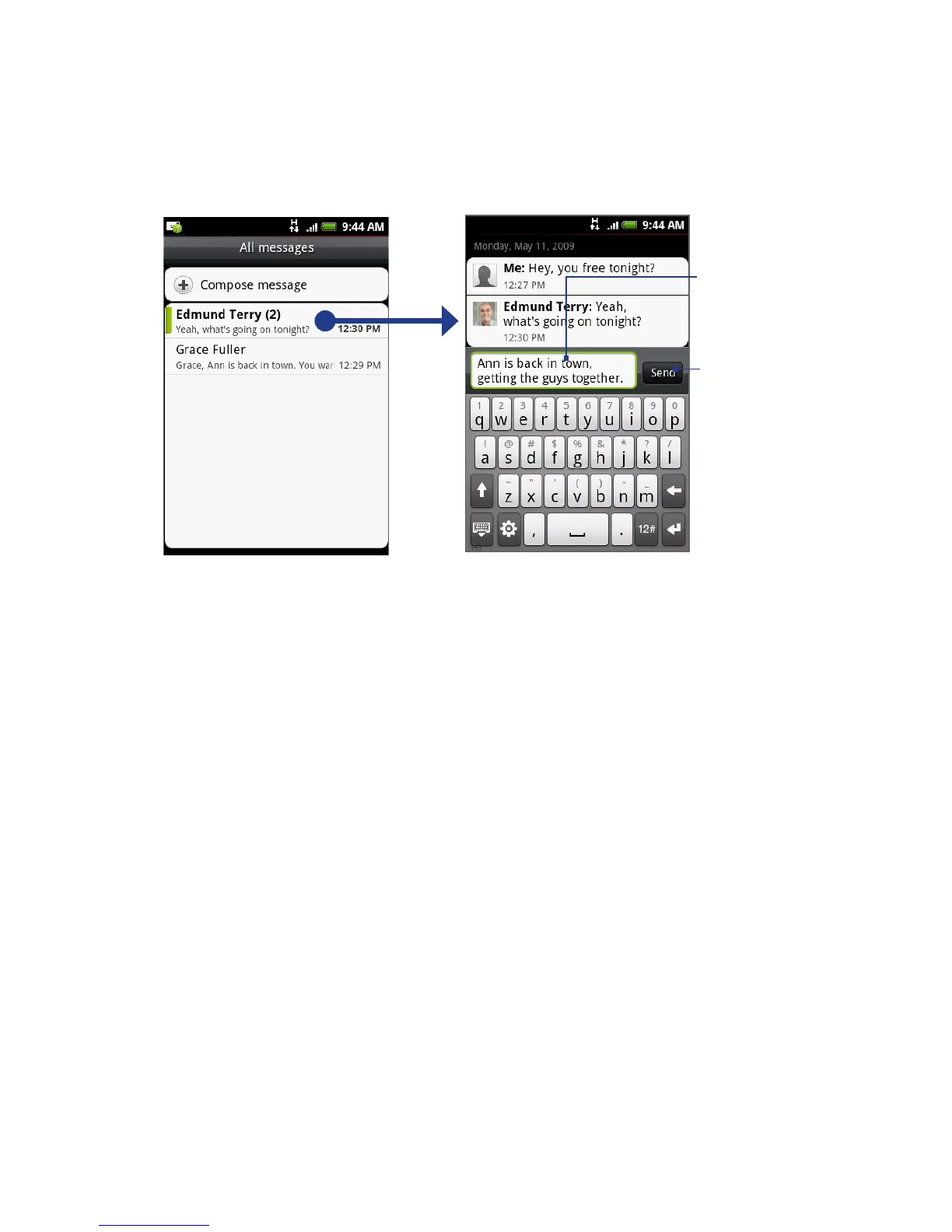
Enter your reply
message here.
Tap to open the message.
Tap to send
your reply.
Tip To reply a text message with a multimedia message, open the text message,
press MENU and then tap Add subject, or Attach. The text message is automatically
converted into a multimedia message.
To delete a message or a message thread
1. On the All messages screen, tap the message thread that you want to delete.
2.
Do one of the following:
To delete the entire thread, press MENU and then tap Delete. When
prompted to confirm, tap OK.
To delete a message in a thread, press and hold the message that you
want to delete, and then tap Delete message on the options menu. When
prompted to confirm, tap OK.
Note To delete several messages on the All messages screen, press MENU while on the All
messages screen, tap Delete, select the messages you want to delete, and then tap
Delete.
•
•



 To Next Page