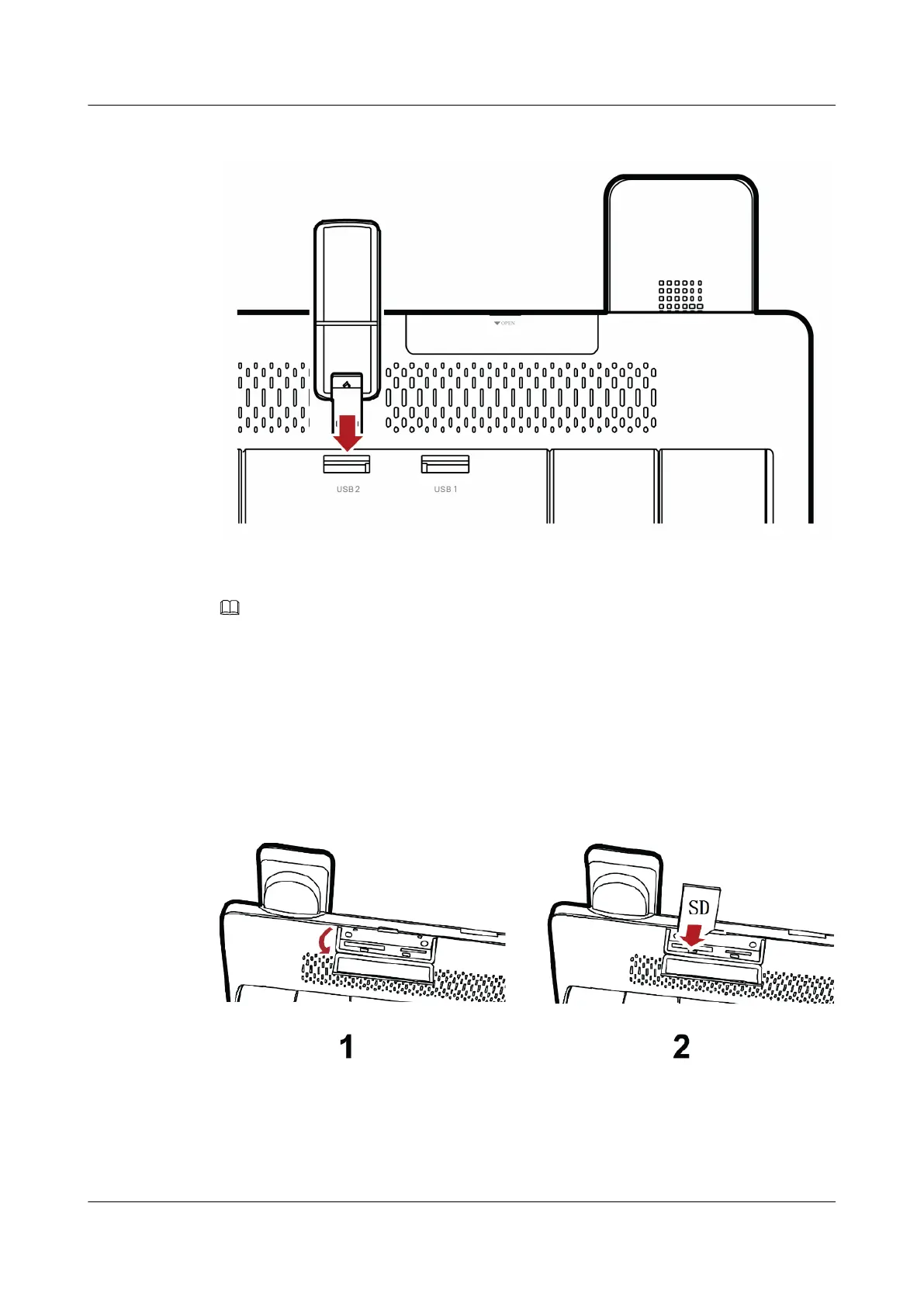
Figure 2-7 insert a USB device
NOTE
l When you are inserting a USB device, ensure that the connector of the device is aligned with the port
of the base unit. Otherwise, the device may fail to insert.
l To prevent any damage to the USB device, do not place the base unit horizontally after the device is
inserted and ensure that no external forces are applied to the device.
Inserting a SD Card
Figure 2-8 shows how to insert a SD card.
Figure 2-8 insert a SD card
1. Open the SD cover on the rear panel of eSpace 8850.
2. Insert the SD card.
eSpace 8850 Video Phone
User Guide
2 Product Description
Issue 08 (2014-08-25) Huawei Proprietary and Confidential
Copyright © Huawei Technologies Co., Ltd.
15



 To Next Page