2
GETTING STARTED
Thank you for purchasing Hunter Douglas
Duette
®
Vertiglide
™
Honeycomb Shades.
With proper installation, operation, and care,
your new shades will provide years of beauty
and performance.
To get started, unpack the shade and
remove all foam/packaging materials.
Check that all parts shown on the packing
list are included with the order. Please
thoroughly review this instruction booklet
before beginning the installation.
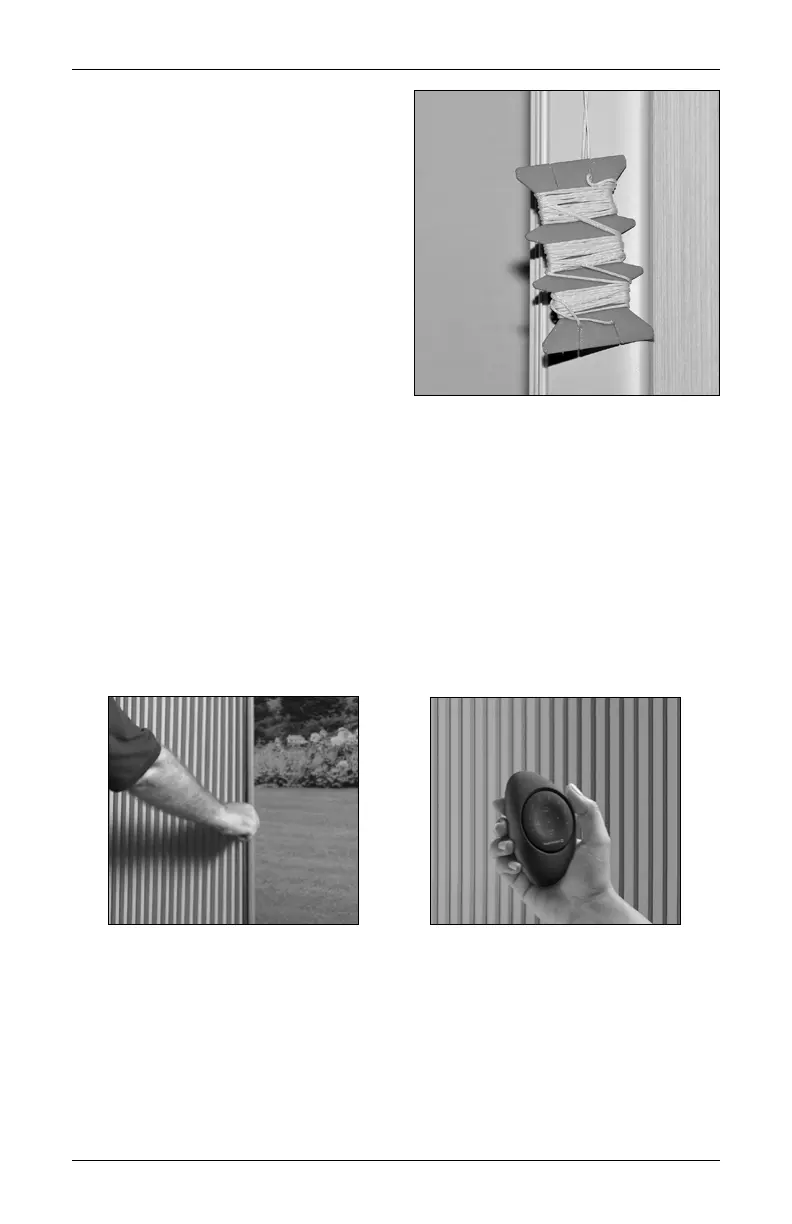
IMPORTANT: Cords are wrapped around
a cord organizer located approximately 6"
from the top of the moving rail. Please
do not unwrap the cords until instructed to do so.
Dual Operation
An innovative feature of Duette
®
Vertiglide
™
with PowerView
®
Gen 3 Automation is dual
operation: your shade can be operated either by hand (manual) or with the PowerView
Gen 3 remote (automated). The drive belt automatically disengages after each automated
use, allowing the shade to be traversed manually. When the remote is used, the drive belt
automatically re-engages for automated operation.
With dual operation, the PowerView App can be used for precise positioning of the shade.
The App knows the position of the shade when the motor re-engages, so if the shade has
been moved manually, the App positions the shade correctly.
Do Not
Unwrap
Cords
Yet











 To Next Page