INSTALLATION
24
Mount the PowerView
®
Gen 3 Control Button
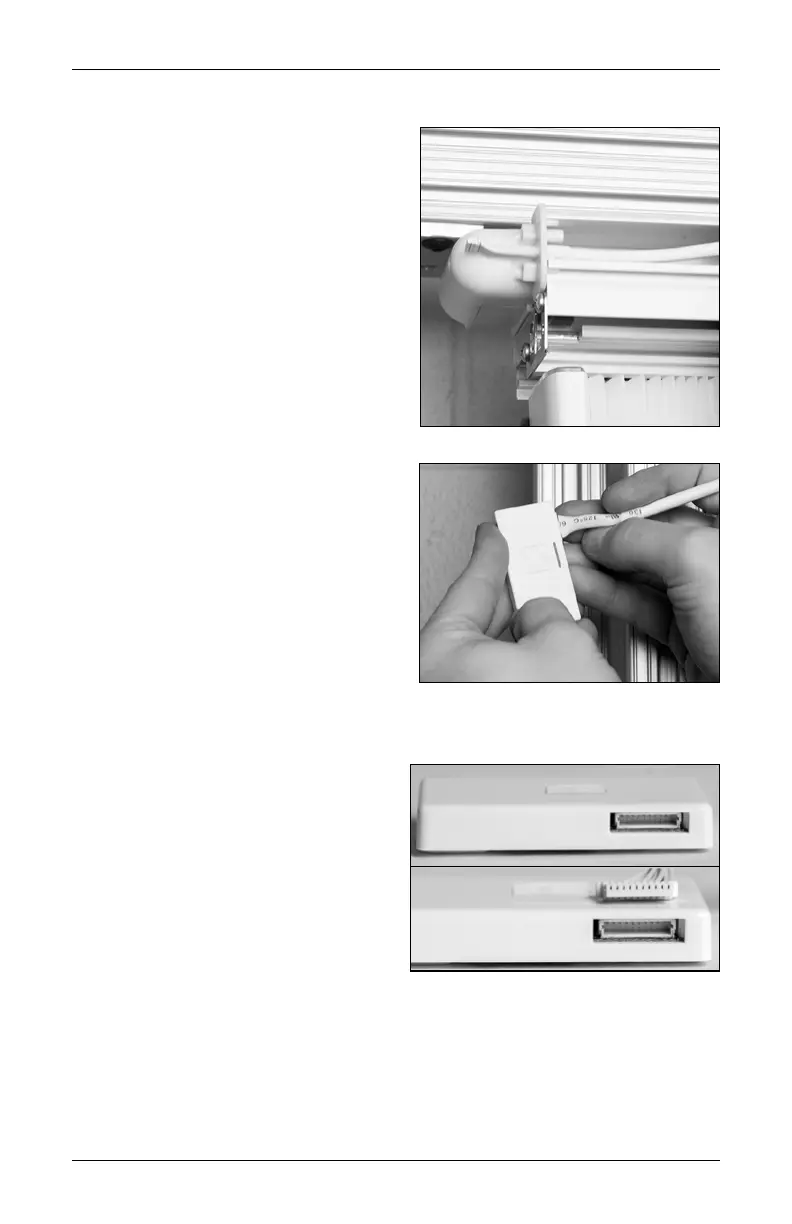
The control button is inside the headrail, near
the motor, attached to a wire harness that is
connected to the motor.
■
Remove the control button from the headrail.
➤
Disconnect the 10-pin connector from the
control button.
IMPORTANT: Do not disconnect the wire
harness from the motor.
■
Insert the 10-pin connector through the slot
at the front of the gearbox.
■
Reconnect the 10-pin connector to the
10-pin port on the control button.
➤
The pins in the 10-pin port are offset
toward the button side of the control
button assembly. Be sure to orient the
holes on the connector the same way.
IMPORTANT: Do not force the connector
into the port. If the connector is oriented
correctly, it should fit onto the pins in the
port with little effort.
10-Pin Port
Connector Orientation











 To Next Page