INSTALLATION
13
Mount the Headrail
IMPORTANT: Do not remove the bottom vane protective cover and tape until the shading
is installed.
■
Peel back the protective covering from the top of the Palette
®
fabric-covered headrail.
Leave the rest of the protective covering on the front of the headrail.
■
Position the shading so that the front faces you.
■
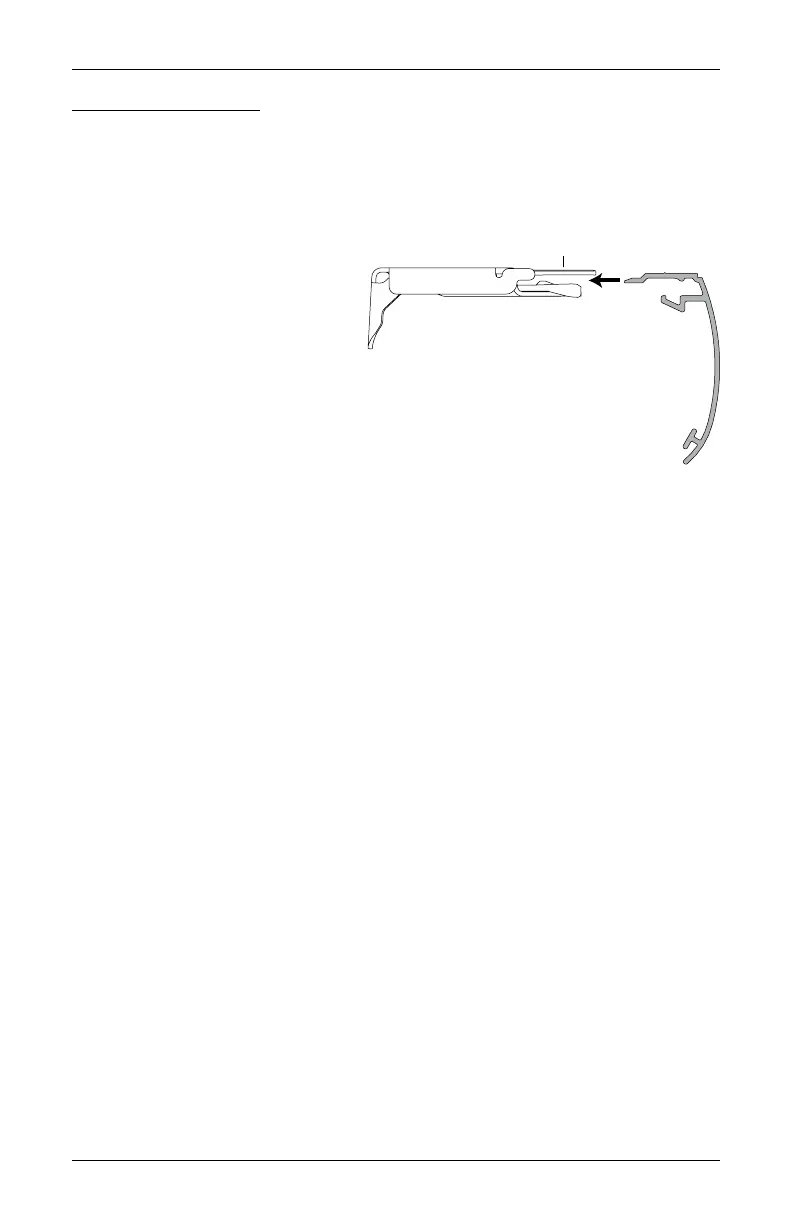
Slide the headrail into the installation
brackets so the edge of the headrail
is between the lever and the
bracket, as shown.
■
Firmly push the headrail into each
bracket until it clicks and the lever
snaps to the right side of the bracket.
IMPORTANT: Carefully pull on the headrail at each bracket
to ensure it is installed securely.
■
Completely remove the protective covering from the Palette fabric-covered headrail.
■
Remove the tape and protective covering from the bottom vane/rail.
Headrail
Installation
Bracket
Lever
Slide the Headrail
Between the Lever
and the Bracket








 To Next Page