27
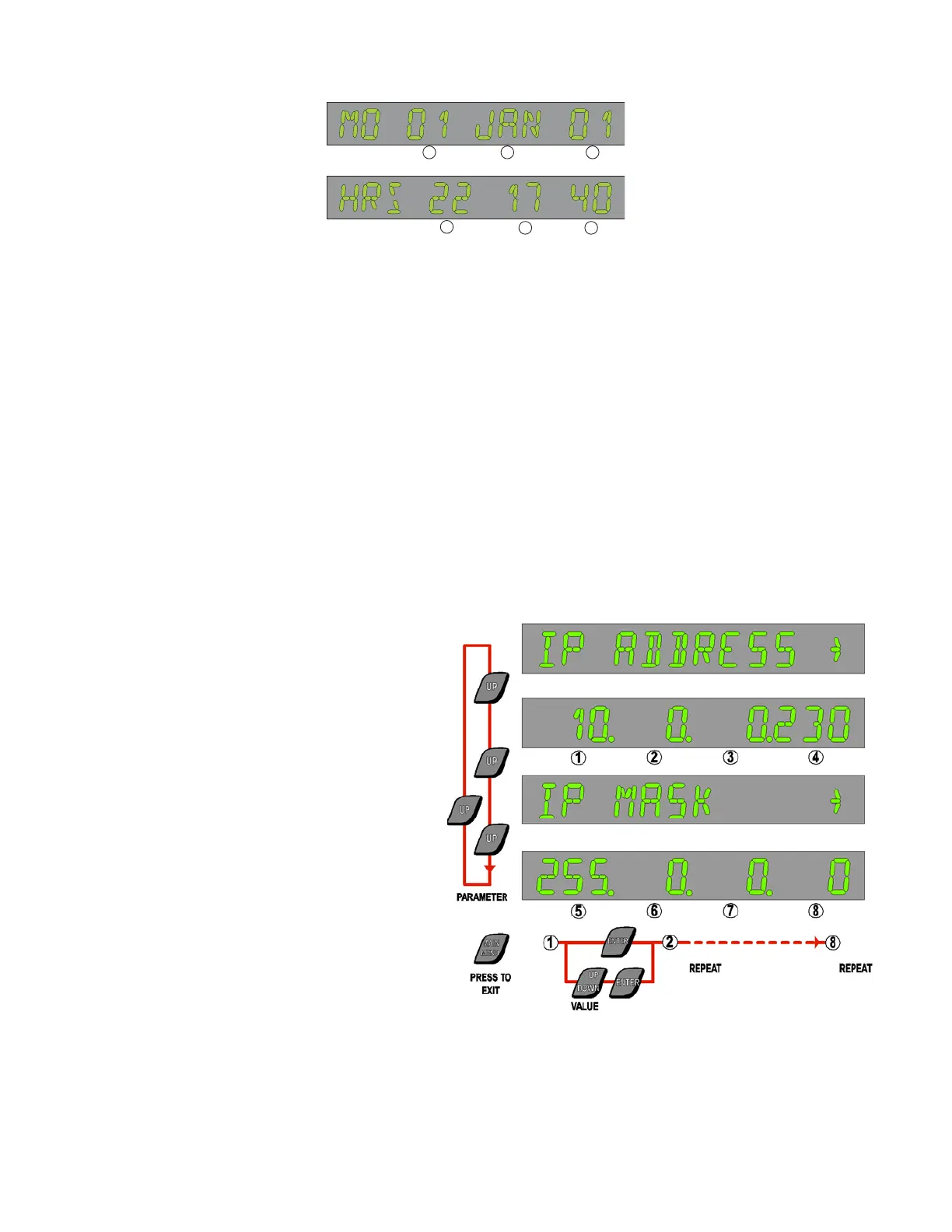
3.4.4 Set Time and Date
6
4
5
1 2 3
day date month
hours minutes seconds
year
1 Press MAIN MENU to enter the Main Menu list from Normal display mode
2 Use Parameter UP & DOWN buttons to reach TIME DATE
3 Press ENTER
4 Enter Level 1 code or above
The display will now show the date (day - date - month - year), with the date flashing.
1 Use value UP & DOWN buttons if required to change the date
2 Press ENTER to update the date and move to the next step (month); month will flash.
3 Use value UP & DOWN buttons if required to change the month
4 Press ENTER to update the date and move to the next step (year)
Continue as above. Each time the ENTER button is pressed; the flashing element will progress from date through to seconds, with the
display format changing from date to time appropriately. The day of the week is calculated from the date, month and year.
The Parameter UP & DOWN buttons will switch the display between date and time.
Return to MAIN MENU by pressing MAIN MENU.
3.4.5 Set IP Address and IP Mask
1 Press MAIN MENU to enter the Main Menu list from Normal display mode
2 Use Parameter UP & DOWN buttons to reach WEB
3 Press ENTER
4 Enter Level 1 code or above
The display will now show IP ADDRESS -> Press
UP
The display will show actual IP ADDRESS with
First field flashing
1. Use value UP & DOWN buttons if required to
Set the first field
2. Press ENTER to update and move to the
Next field. Repeat for all 4 fields
The display will now show IP MASK -> Press UP
The display will show actual IP MASK with first
Field flashing
1. Use value UP & DOWN buttons if required to
Set the first field
2. Press ENTER to update and move to the
Next field. Repeat for all 4 fields
Return to MAIN MENU by pressing MAIN MENU.



 To Next Page