36
5 E-SERIES WEB SERVER
Systems that have the TCP/IP web server installed can be accessed via its Ethernet connector over the Internet. The system has an HTTP
server that enables the user to remotely check any faults or alarms and modify all the configuration values.
By default, the system IP address is 10.0.0.230 and the IP mask is 255.255.255.0. These values can be easily changed from the front
panel menu or from the E-series Monitor to match the user requirements.
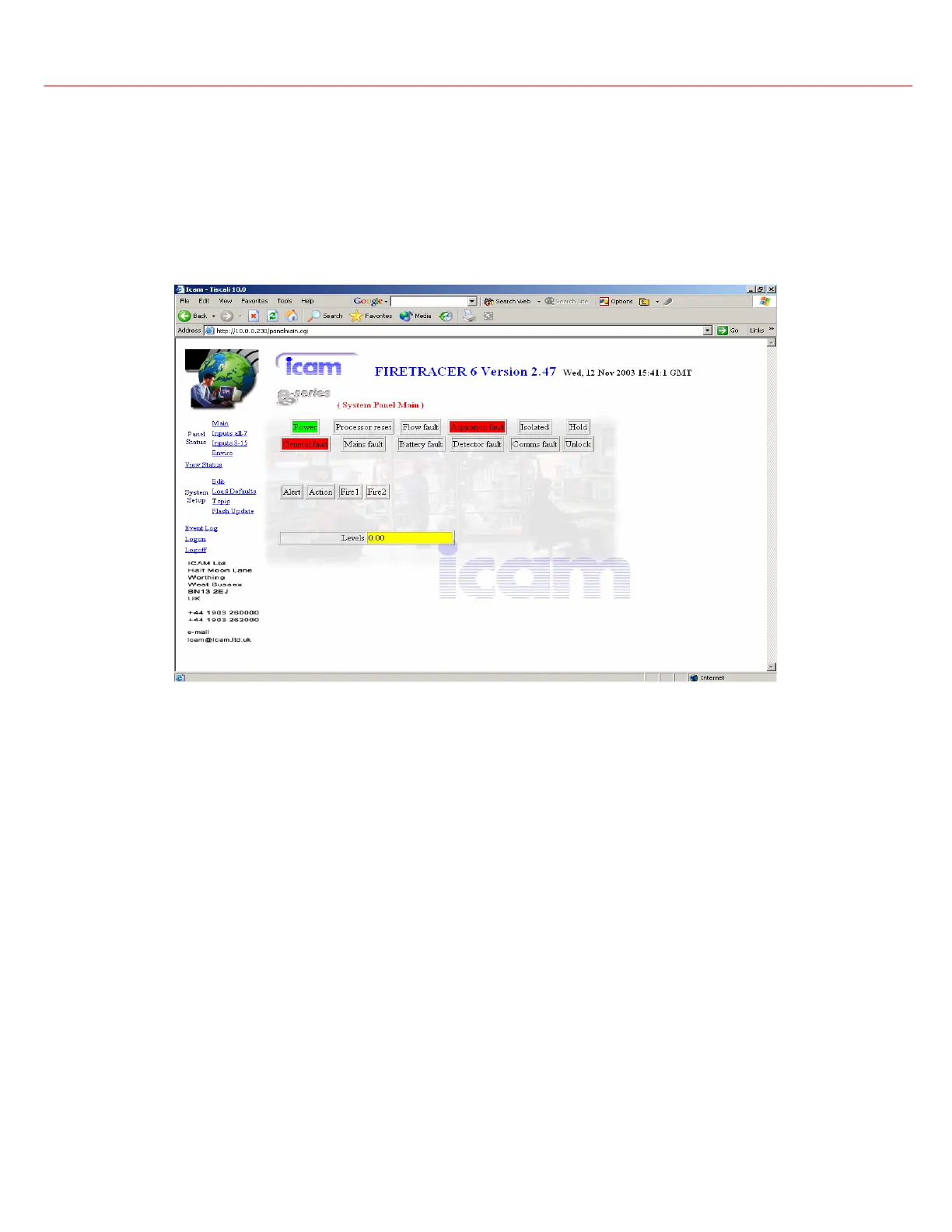
The figure below shows the main page with the fault and alarm status as well as the smoke detection level. Red values represent a fault.
The E-series product, Software Version, date and time are shown at the top of the web page. To send any query to the Icam service
support click on the email link.
The user can access the Panel Status (Main panel, Sector status and Environmental values), System Setup (Modify values, Load
Defaults, and check the IP address and mask) and view the log entries.
There are 2 different access codes for the user to logon:
Normal user: Username = User, Password = Icam. The user can view all the panel status pages, the log entries and edit all the parameters
except the setup and laser values.
Administrator: Username = Admin, Password = Icam. This logon enables the user to load default values and allows the modification of all
the parameters.



 To Next Page